


Have participants rate a list of items on one scale, then probe why
Add a Carousel (Grid) question: participants rate each item on one scale, one at a time, and Conveo follows up on their highest, lowest and middle ratings.
 Dag Malstaf
At a glance
- Pick a preset scale (agreement, satisfaction, frequency) or write your own
- Set whether higher or lower is better and rename any label
- No limit on items, with an image on each if you like
- Show the items in a fixed or a random order
- Conveo probes a low, a high and a middle rating, then the grid as a whole (on by default, can be switched off)
Some questions are ten questions with the same answer options. How much do you agree with each of seven statements about a film. How satisfied are you with each step of the checkout. Until now a Conveo topic guide offered single and multi-select questions, so a rating battery meant one question per item, which drags the interview out, or an open question that leaves you without scores you can compare.
Short on time? Watch the one-minute version.
How it works
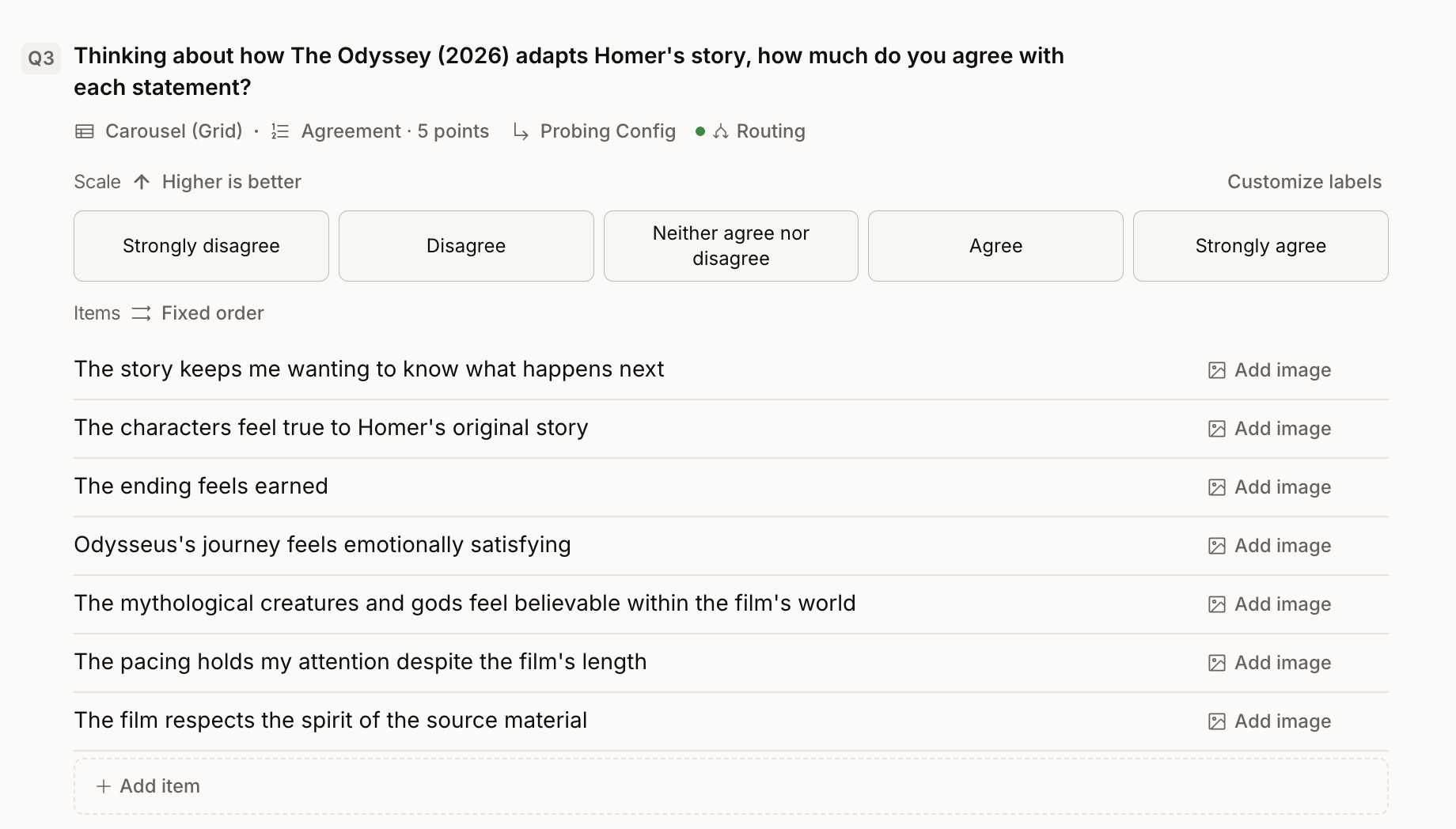
Choose the Carousel (Grid) question type. It sits next to single and multi-select in the question type list.
Pick a scale. Presets for agreement, satisfaction and frequency come filled in. Rename any label, or write your own scale with the number of points you need, and set whether higher or lower is better.
Add the items. There is no limit on the number of items. Give each one a name and, if people should rate concepts or packs, an image. Show the items in a fixed or a random order.
Participants rate one item at a time. Each item appears on its own card with the scale underneath, until every item has a rating. It works on desktop, mobile browsers and the Conveo app.
Conveo asks why. The AI research assistant follows up on an item rated low, one rated high and one in the middle, when the answers fall into those groups. Then it asks broader questions about the grid as a whole. Probing is on by default. Add your own guidance and set the follow-up budget to decide how deep it goes, or switch probing off for a question when you only need the scores.
See the scores and the reasons in one place
In Question coding, a rating chart shows how participants scored each item. The ratings and the follow-up answers also feed Talk to your data, executive summaries, slides and reports, so you can ask why one statement scored lowest and get the answer from the interviews themselves.
Research teams asked for it in three situations
These come from conversations with agencies and with teams in food and consumer goods. We kept them anonymous.
Concept and pack reactions. Score each concept or pack on a scale to open the conversation, then hear what drove the score.
Statement batteries. Ask how much people agree with a set of claims or brand statements in one question.
Numbers next to reasons. Keep a score beside the spoken answer, so the number and the reason come from the same person.
What this means for your research
You get comparable scores for every item and the reasons behind the extremes from the same video conversation, with no separate survey to field and match up afterwards.
Two limits to know. Conveo follows up on three ratings per grid plus the closing questions, so a long grid will not get a probe on every item. If one item matters most, give it its own question. And on a small sample the chart is a direction, so read the scores together with what people said.
Carousel (Grid) in one minute
The whole feature in 38 seconds: one scale, every item rated on its own card, and the follow-up questions on the highest, lowest and middle ratings.
Watch Dag set up a grid question
Dag Malstaf from our engineering team builds a Carousel (Grid) question, takes the interview as a participant and walks through the results. Carousel (Grid) questions are live for every Conveo client today. Read the topic guide setup guide to add one to your next study.