
Return to Template Hub
Product Use, Before & After Template: Free Download
Film a real product use cycle before and after to compare expectations against results.
Download free template
TL;DR
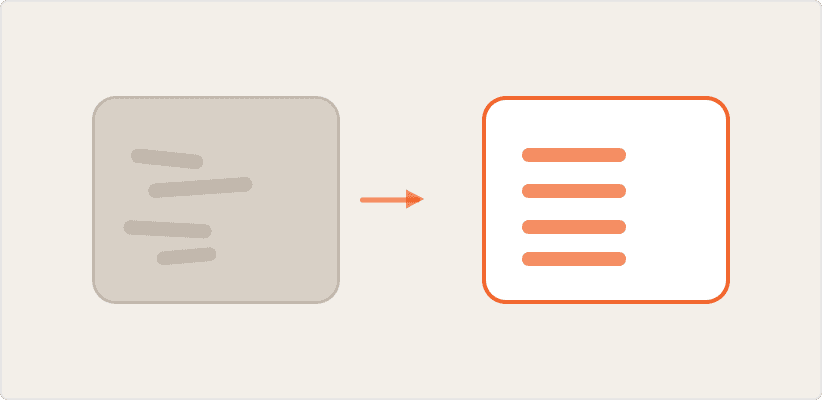
A before and after product-use study captures a real usage cycle on camera at both ends: the setup and intent beforehand, then the outcome once the job is done. This template covers household rules, on-camera loading, program and dosing choices, and a structured expectation-versus-result comparison across the key outcomes that matter. Use the plain-text template at the end to run this study AI-moderated across any product, with a clear before-and-after.
What before and after product-use research actually tells you
Satisfaction scores tell you how someone feels about a product in general. A before and after study tells you whether one specific use met the expectation set going in.
The method splits into two moments separated by real time: participants film the setup and stated intent before starting, then return once the process is complete to show the actual outcome. That gap matters, because expectations set in the moment before are the fairest benchmark for judging the result, far more accurate than a retrospective opinion formed days later.
The output is a clean expectation-versus-result comparison across each outcome dimension that matters to the category, plus the specific factor participants believe drove the result.
What this template covers
Twenty-six questions across two sections, split by a real-world pause. The logic flows in five stages:
Warm up and establish baseline satisfaction with the current product
Film the starting condition on camera and probe why this use is happening now
Capture household rules, loading behavior, and product dosing on camera
Pause while the real-world process runs
Return to film the outcome and compare it against expectations, dimension by dimension
The screener confirms the participant is on mobile, at home, and able to run the process right now. This is a hard requirement, since the study depends on capturing a genuine use cycle, not a recalled one.
Question nineteen is the pause point, explicitly signaling that participants should stop, run the process, and return to the same link once it finishes. Questions twenty-one through twenty-three then repeat the same before/after comparison structure across three separate outcome dimensions, always following the same pattern: rate against expectation, then probe why.
How to set up this study for your category
This template is written around dishwasher use but applies to any product with a clear before, a process, and an after.
A few stetup rules:
Build the screener to confirm mobile access, physical presence with the product, and ability to run the process immediately
Structure your outcome dimensions before fielding. This template uses cleaning and drying as the two dimensions; adjust these to match what matters in your category
Plan for the pause. Participants need to genuinely stop and resume, so field this where participants have time for the full process, not a rushed session
Standard interview length is 20 to 30 minutes total, split across the two sessions
Where before and after research goes wrong
Three failure modes to watch for:
Skipping the pause. If participants complete both sections in one sitting without genuinely running the process in between, you lose the authenticity that makes this method valuable.
Only measuring overall satisfaction. A single satisfaction score hides which specific outcome dimension actually disappointed. Always break the comparison down by dimension, as this template does with cleaning and drying separately.
Ignoring the pre-wash intent. The reasons someone is running this specific cycle, not just their general habits, shape how they judge the result. Capture that context before the process starts.
Running before and after studies with Conveo
Conveo's AI moderator manages the pause between sessions automatically, prompting participants to return to the same interview link once the real-world process is complete.
The moderator applies the same structured comparison pattern automatically across every outcome dimension you define, without needing separate question logic for each one
Video captured before and after is analyzed together, so the visual starting condition and the final result are directly comparable, not just described
Thematic analysis surfaces recurring drivers of dissatisfaction or delight across participants without manual coding
Want to see how this template runs inside Conveo?
Product Use, Before & After Template: Free Download
↓
Download free template
Frequently asked questions.
Decisions powered by talking to real people.
Automate interviews, scale insights, and lead your organization into the next era of research.