

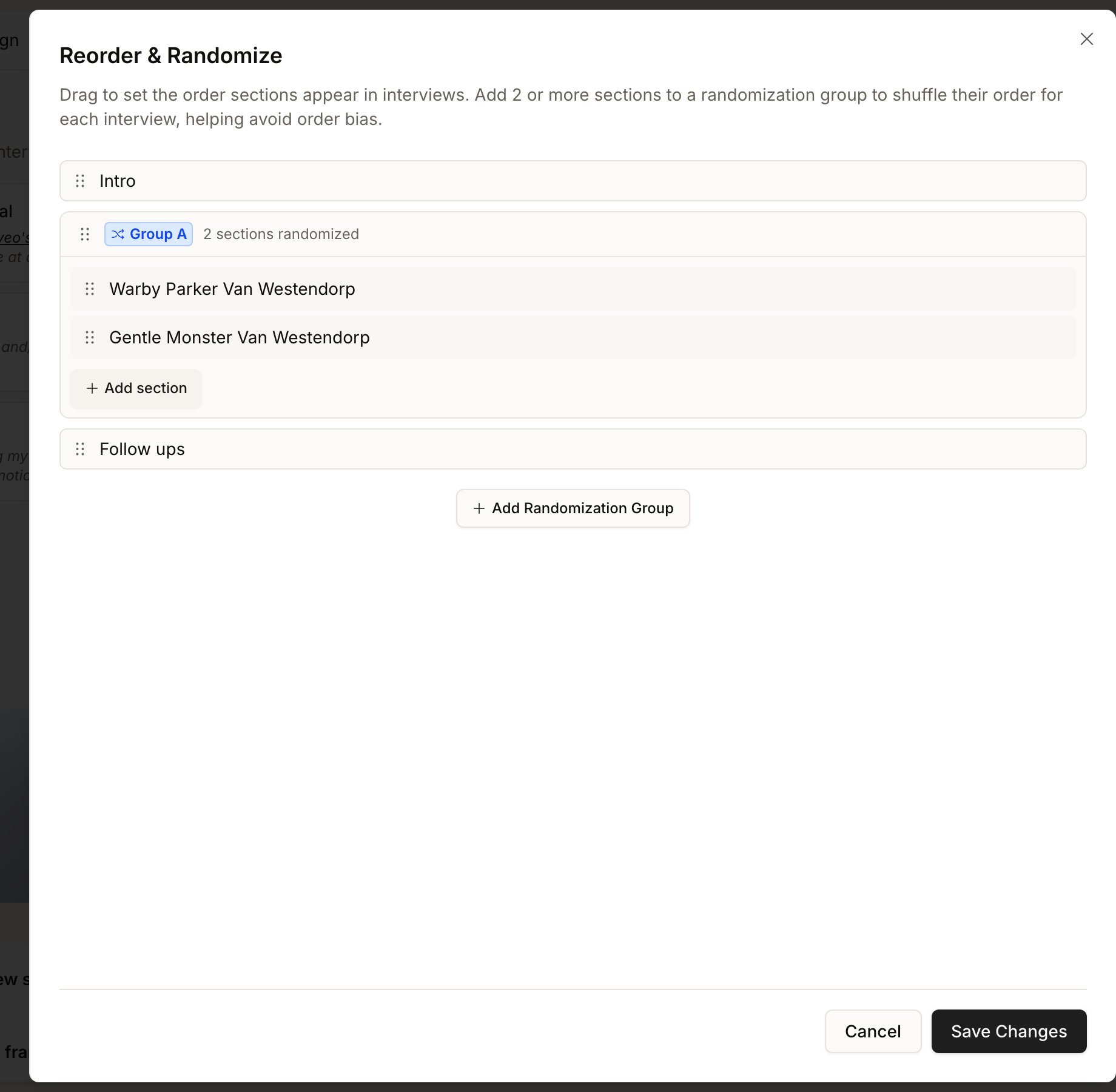
How It Works
- Sections in the same randomization group appear in a random order for each interview
- The order is repeatable for the same interview and unchanged group configuration. Different interviews can receive the same order.
- Sections outside any randomization group keep their fixed position — use this for icebreaker or closing questions that should always come first or last
Setting Up Randomization Groups
- Click Reorder & Randomize on your topic guide
- Click Add Randomization Group to create a new group
- Use the dropdown to add sections to the group
- Sections in the same colored group will be shuffled together
- Click Save Changes
Distribution & Balancing
Randomization groups control the order of sections, not which sections a participant sees. The shuffle does not select a subset of sections. However, question and section routing can still skip content, and participants may stop before finishing. The order is shuffled without balancing how often each order appears. For example, with 3 sections in a group:- Participant 1 might see: A → B → C
- Participant 2 might see: C → A → B
- Participant 3 might see: B → C → A
Stimulus randomization controls which concepts a participant sees. Stimulus balancing is approximate and does not guarantee an equal split of completed interviews.
Randomization and routing
Keep questions that depend on earlier answers in a predictable order. For section routing, the rule picker excludes sections in the same randomization group because either section may come first. Resolve any validation warning about a conflicting reference after reorganizing the guide. Test each important path using a full test interview.Tips
- Groups with only 1 section won’t be randomized (you need at least 2)
- You can create multiple independent groups that shuffle separately
- Sections not in any group maintain their fixed position
- Use this to reduce primacy/recency bias in your research
Need help? Contact us at support@conveo.ai