What Are Quote Reels?
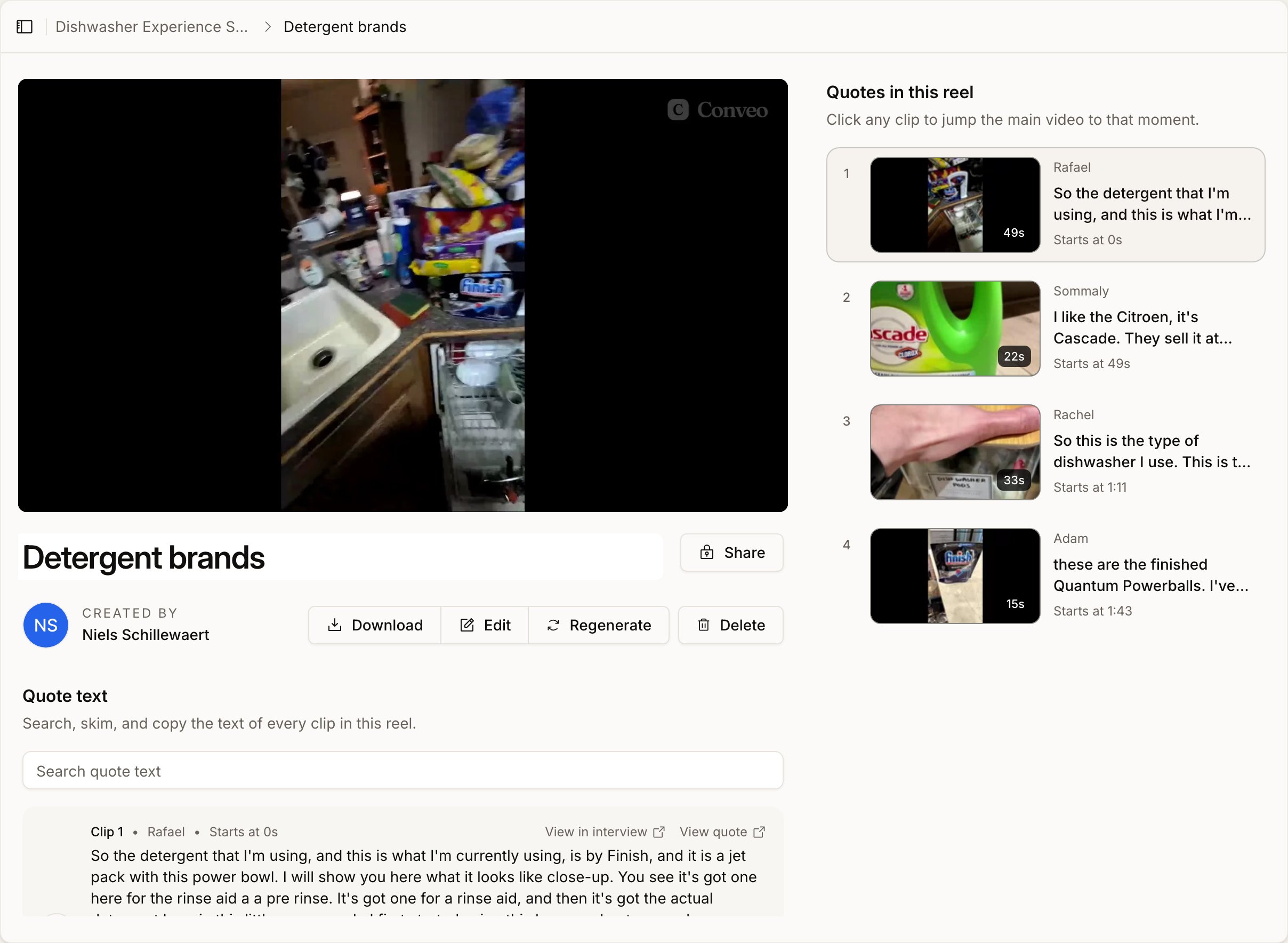
A Quote Reel is a compiled video made up of multiple short clips (quotes) pulled from one or more interviews. Each reel:- Combines selected quotes into a single video
- Preserves speaker video and audio
- Supports captions
- Allows clip trimming and reordering
- Can be rendered and shared externally
- Executive highlights
- Customer testimonials
- Research summaries
- Thematic recaps
- Social-ready snippets
Creating a New Quote Reel
To create a new Quote Reel:- Go to Outputs in the left sidebar
- Click on the Quote Reels tab
- Select Create New Quote Reel
- Give your reel a name
- Start adding clips
Adding Quotes to a Reel
You can add quotes from different interviews into the same reel. To add a quote:- Navigate to an interview
- Select the quote you want to include
- Click Add to Quote Reel
- Choose an existing reel or create a new one
Editing a Quote Reel
Once inside a Quote Reel, you can refine your video before renderingReorder Clips
- Drag and drop clips to change their sequence
- The order shown determines the final playback order
Trim Clips
- Adjust the start and end time of each clip
- Remove unnecessary pauses or filler words
Show or Hide Clips
- Temporarily hide clips without deleting them
- This allows experimentation before finalizing the reel
Add or Remove Clips
- Click Add Clips to include additional quotes
- Remove clips using the delete option next to each segment
Video Settings
Before rendering, you can configure:Captions
- Toggle Embed Captions on or off
- When enabled, subtitles are burned into the final video
Blur Video (Optional)
- Blur background video if needed
- Useful for privacy or stylistic purposes
Managing Quote Reels
In the Quote Reels overview page, you can:- View all created reels
- See the number of clips per reel
- Open and edit existing reels
- Favorite important reels
- Create new ones
Best Practices
To create impactful Quote Reels:- Keep reels concise (30–90 seconds for maximum engagement)
- Start with a strong or emotional quote
- Group clips around a clear theme
- Use captions for accessibility and social sharing
- Remove long pauses for tighter pacing
When to Use Quote Reels vs Stories
| Use Case | Quote Reels | Stories |
|---|---|---|
| Short highlight video | ✅ | ❌ |
| Narrative research summary | ⚠️ | ✅ |
| Social media sharing | ✅ | ⚠️ |
| Thematic insight report | ❌ | ✅ |
Use Stories for structured insight reporting.
Summary
Quote Reels make it easy to transform raw interview quotes into polished highlight videos. By combining clips from multiple interviews, editing them into a compelling sequence, and exporting a finished video, you can quickly share the most powerful moments from your research. Create, refine, render — and share your insights in motion.Anything missing? Let us know at support@conveo.ai and we’ll help you out!