

How It Works
A question is shown only when its section’s condition and its own condition allow it. Adding a question rule does not override the section rule. A section without a rule does not add a restriction. Conveo evaluates upcoming unanswered questions in order, stopping at the next structured question that needs an answer. After that answer is available, evaluation continues. Routing changes which questions are asked; it does not disqualify participants. Use screeners for qualification and quotas for sample admission.Setting Up Routing
- Open a question’s routing control.
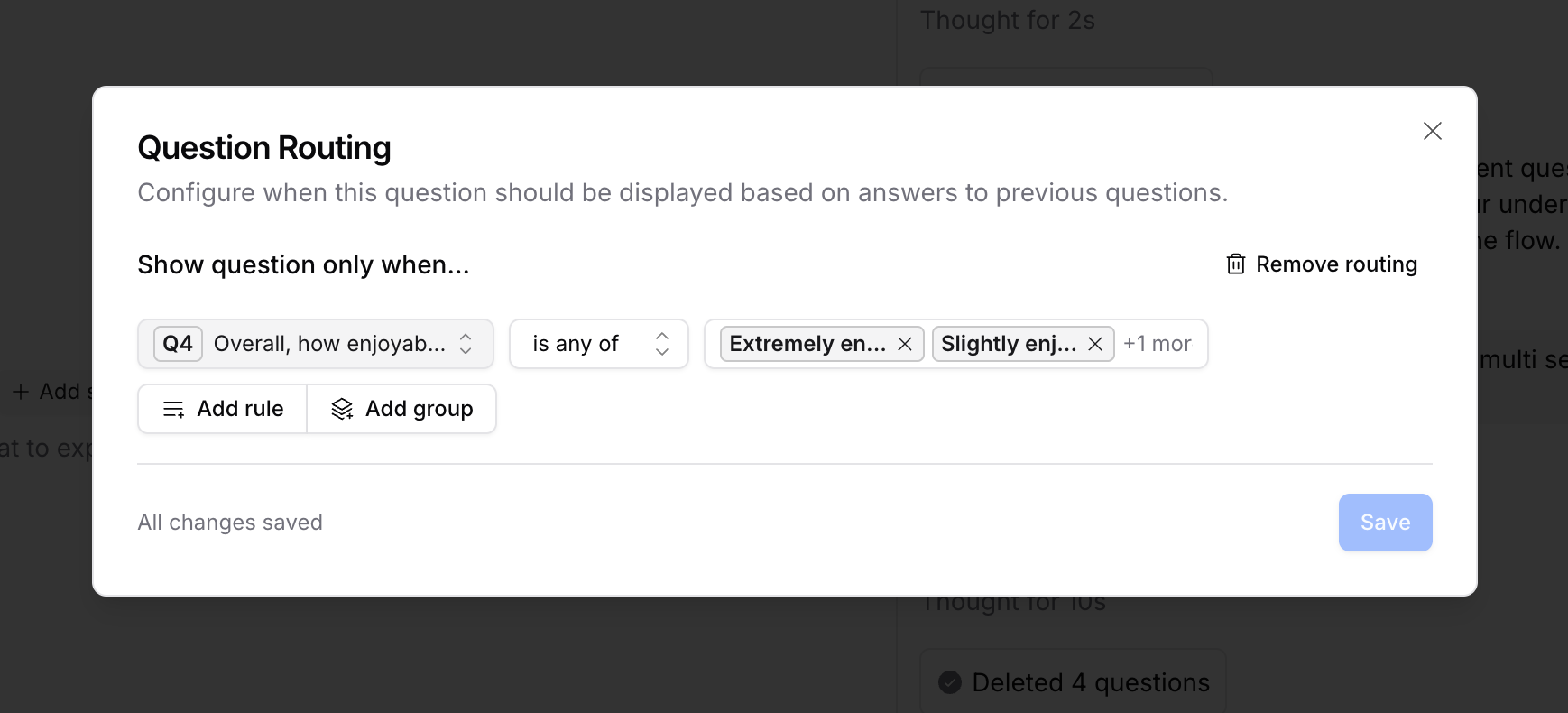
- Under Show question only when…, add a condition using an available earlier answer, participant property, or diary entry number.
- Choose the comparison and values that should allow the question to appear.
- Review the save status. Valid changes save automatically; incomplete rules and invalid references must be corrected before saving.
- Run a full test interview for each important path, or a customized test interview that supplies the earlier answers a specific branch needs.
Ordinary open-ended responses, MaxDiff results, and pricing responses are not supported as answer sources for routing. The Assigned stimulus control in the question-routing editor is not generally available. Existing assigned-stimulus rules can continue to display and evaluate even when that authoring control is unavailable. Use the supported controls available in your study rather than assuming quota conditions are available everywhere.
Building Complex Logic
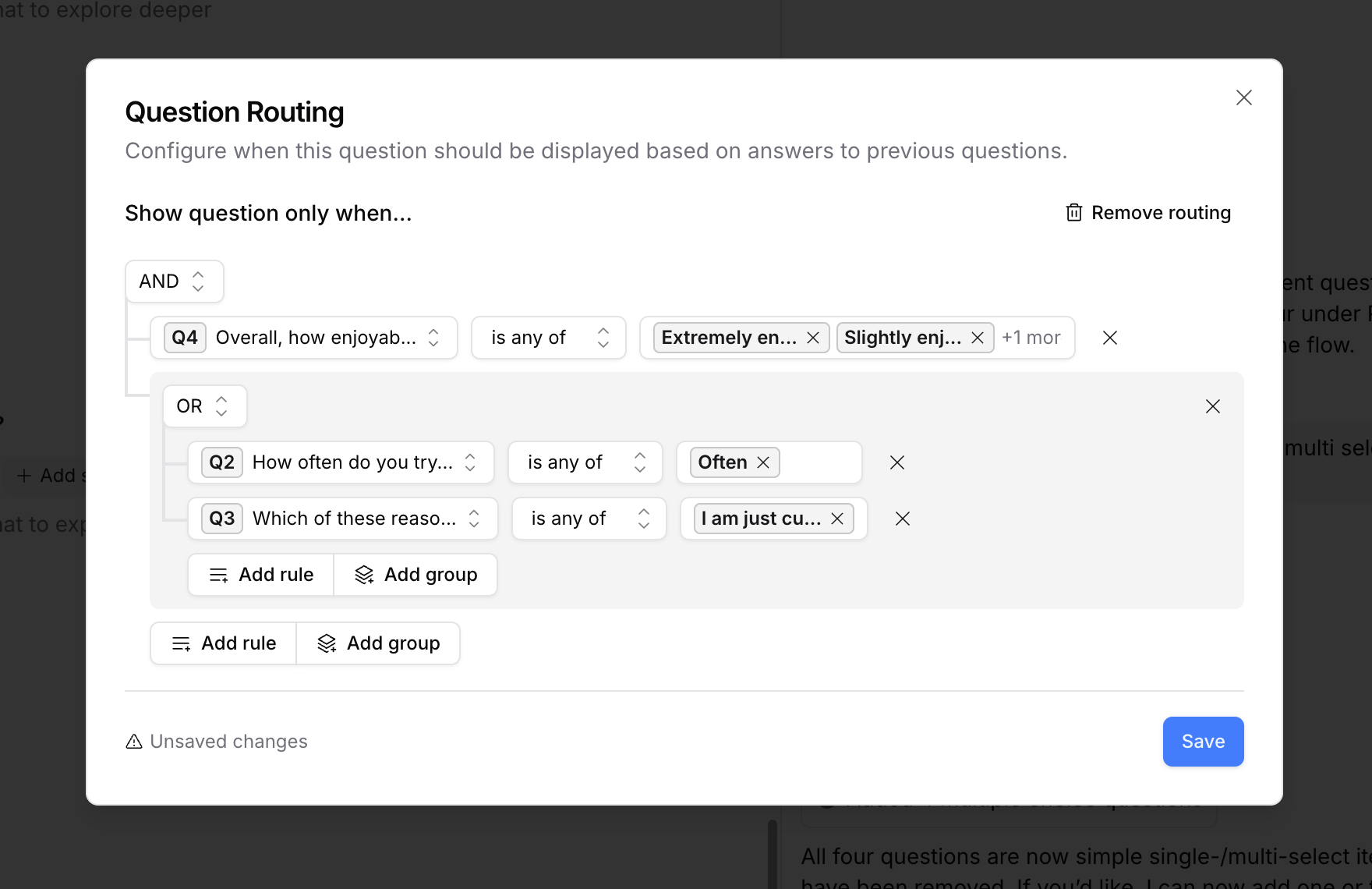
Combine conditions into groups:- AND: every condition must pass.
- OR: at least one condition must pass.
- Nested groups: combine alternatives, such as “owns a car AND (uses it for commuting OR has a long daily drive).”
Route an entire section
Hover over a user-created section header and choose Add routing. For a section that already has a rule, open Routing. Configure Show section only when… and check the save status. Editing requires study editing access. A section rule can refer to eligible questions in strictly earlier sections, including earlier screeners. It cannot depend on an answer from inside the section it controls. Intro, outro, and screener sections cannot themselves receive section routing rules. The rule picker excludes earlier sections in the same randomization group, because their interview order can change. If validation flags a conflicting reference after you reorganize a guide, fix it before launch.Missing answers and participant properties
A valid rule that cannot be evaluated because required data is missing skips the dependent content when evaluated. Missing is not the same as answering “none”: even is none of requires a recorded answer. An invalid numeric participant property is treated as missing. For example, if an earlier question was skipped, a later question that needs its answer may also be skipped. An OR group can still pass through another condition that is true, and an AND group can fail through another condition that is false. If a stored rule is unreadable or refers to an unsupported answer source, the interview can ignore that rule rather than hide the content. Resolve validation problems; do not rely on a broken rule to restrict who sees a question.Routing inside repeated concept sections
When a section repeats for several concepts, a follow-up uses answers from the same concept repetition. For example, accepting Concept A does not make a follow-up appear after rejecting Concept B. This also applies to “is none of” conditions and counts of selected options. A question outside the repeated section can still supply an answer to each repetition. If a repeated source question has no answer for the current concept, the rule treats that answer as missing; it does not substitute an answer from another concept. Section and question conditions are evaluated in the relevant repetition.See every path in the routing flow
Test study → View routing flow on the study design page draws the guide’s routing as a diagram: every path a participant can take, from the answers that open each section to where a disqualified or skipped participant lands. The feature is marked Beta.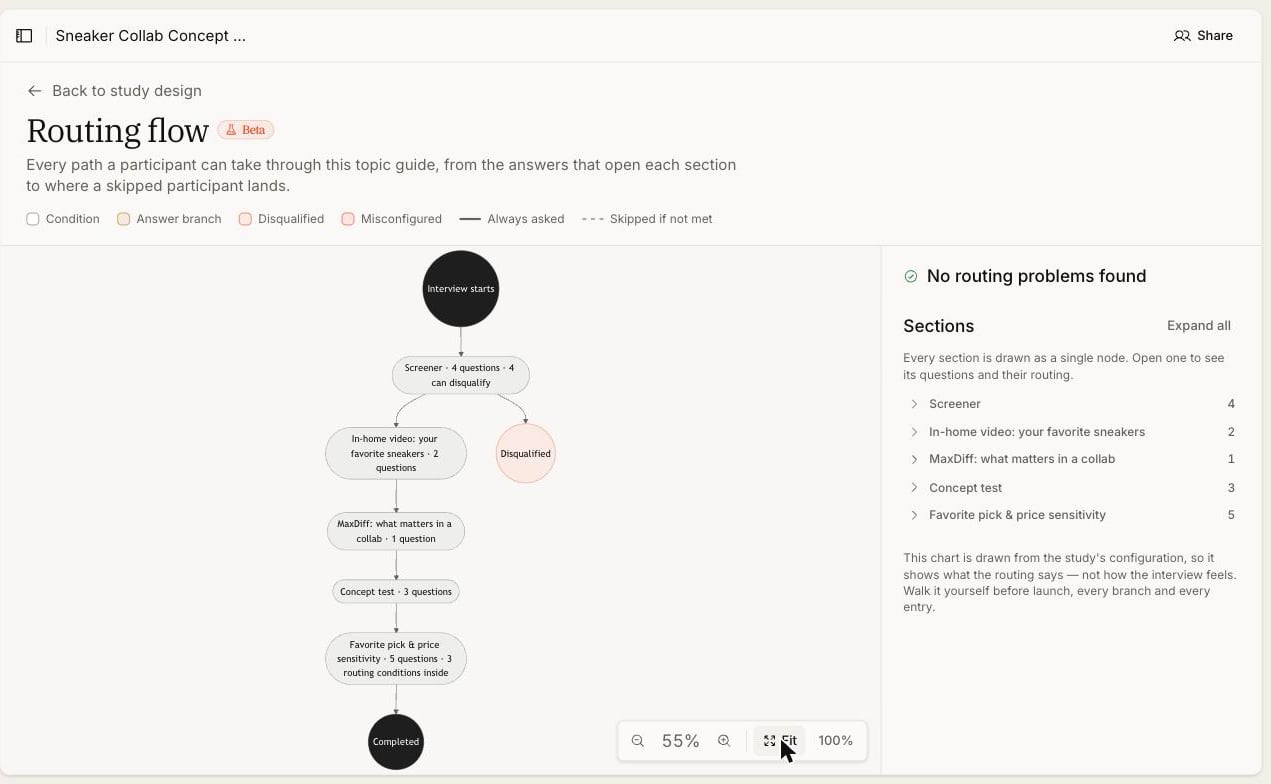
Diary entry conditions
Entry number is based on prior completed, visible, non-deleted interviews for the recognized participant in the same study and panel, plus the current entry. A participant needs the identifying information required by that panel; missing identity can leave the entry number unavailable. Earlier entry answers are not automatically supplied as answers to the current interview’s routing rules. Use entry conditions and participant properties where appropriate, and test later entries before fielding a diary study.Important Notes
- Question rules need answer sources that precede the question. Section rules need sources from earlier sections.
- Section conditions and question conditions both apply. A question that passes its own rule can still be skipped by its section.
- Live changes to section rules affect subsequent evaluations of pending questions. They do not retroactively remove completed responses or guarantee a restarted interview path.
- A test interview in test mode evaluates routing rather than overriding it. Starting at a question whose rule does not match reports the question as skipped and explains why, instead of forcing it to appear. Supply the earlier answers the rule needs to reach it, and still run full tests before launch.
- Check the rule save status and guide validation before recruiting participants. A screenshot of a configured rule does not establish that it saved or that all participant paths work.