


Embed reports, decks, quote reels and charts in any page
Copy an embed code from the share sheet and a public report, slide deck, quote reel or chart sits right inside your intranet, wiki or Notion page.
 Florian Hendrickx
At a glance
- Copy embed code or embed link from the share sheet
- Embed reports, slide decks, quote reels, video insights and charts
- The embed shows the output alone, without the Conveo app around it
- Readers scroll the report, page through slides and play clips in place
Release details
- Shipped
- Area
- Platform & security
- Kind
- New
- Author
- Florian Hendrickx
Research gets read where the team already works: an intranet page, a Confluence or Notion space, a product wiki. Until now, getting a Conveo output there meant a PDF export or a link that sent readers off to the app, and the clips stayed behind in Conveo. Public reports, slide decks, quote reels, video insights and charts now come with an embed code, so the output itself sits on the page.
Forty seconds on putting a quote reel on your team's own page: copy the embed code, paste it, and the clip plays there, next to your reports, decks and charts.
How it works
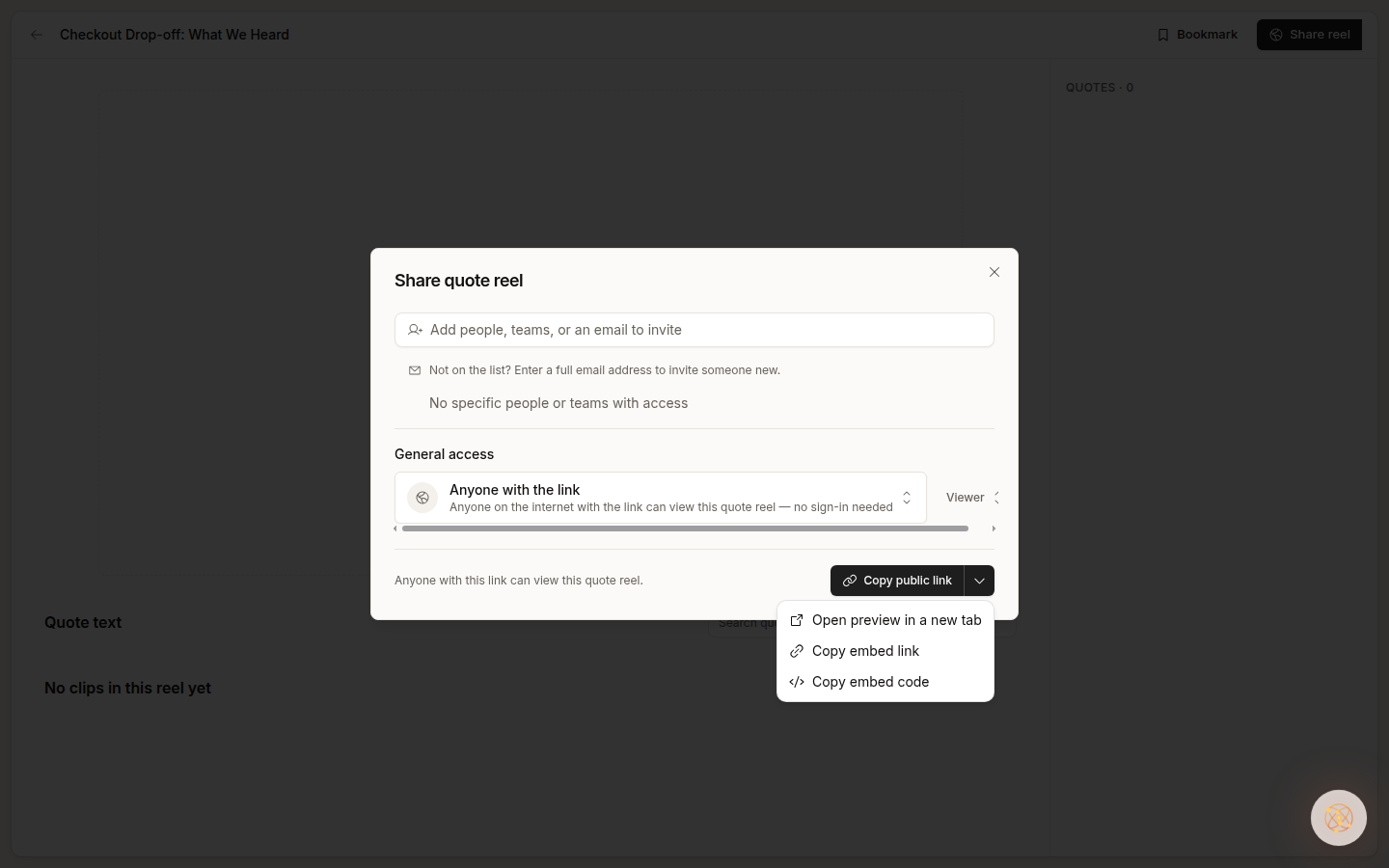
Make it public. Set general access on the output to Anyone with the link. Embeds work for publicly shared outputs.
Copy the code. In the share sheet, open the menu next to Copy public link and choose Copy embed code for an iframe, or Copy embed link for tools that take a URL.
Paste it where your team reads. The embed shows the output alone, with no Conveo navigation around it and a small Made with Conveo line at the bottom.
Readers stay on your page. They scroll the report, page through the slides and play the quote reel without opening Conveo.
The output sits on your page, ready to read
A report keeps its full layout and reads top to bottom.
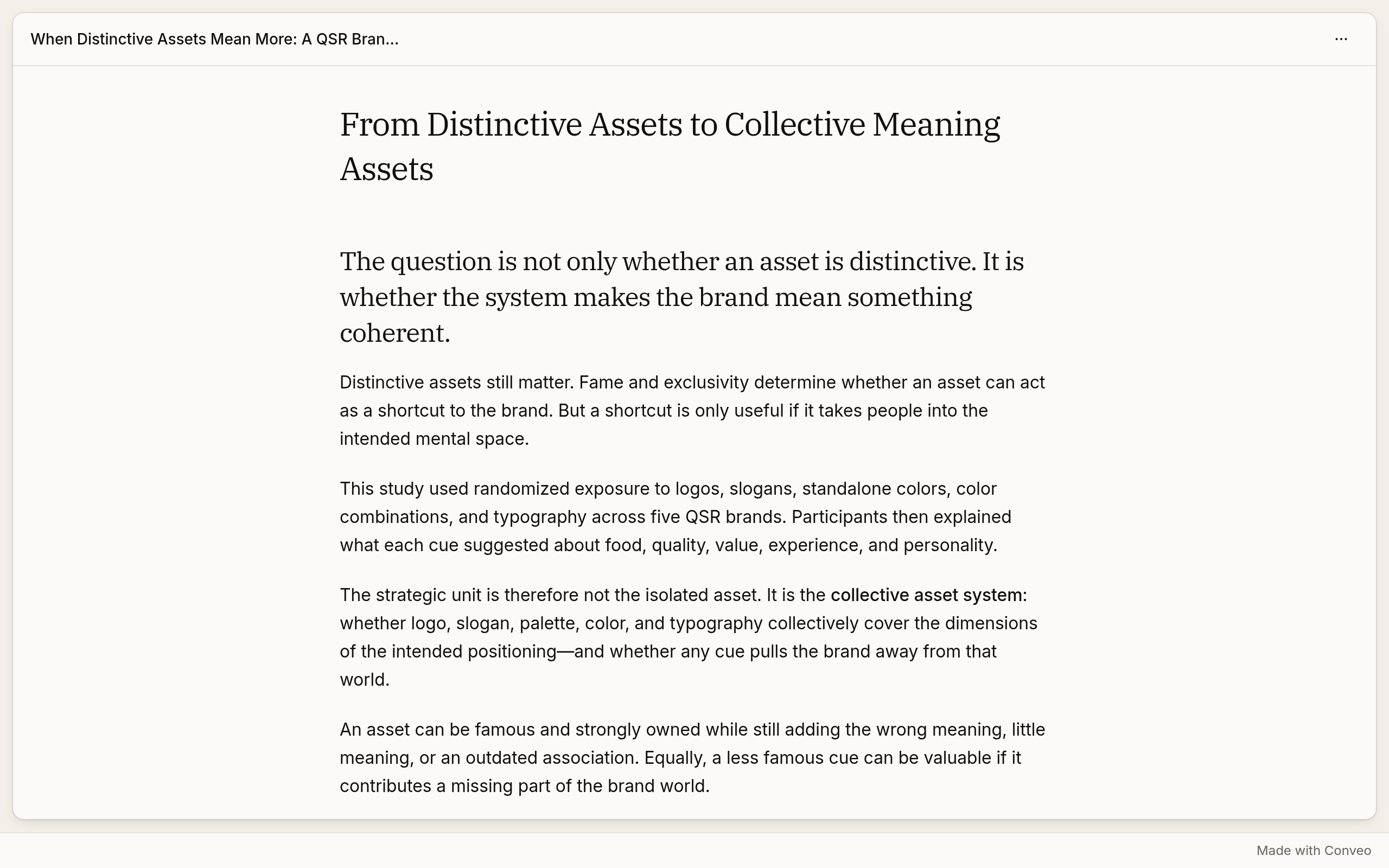
A slide deck pages through slide by slide.

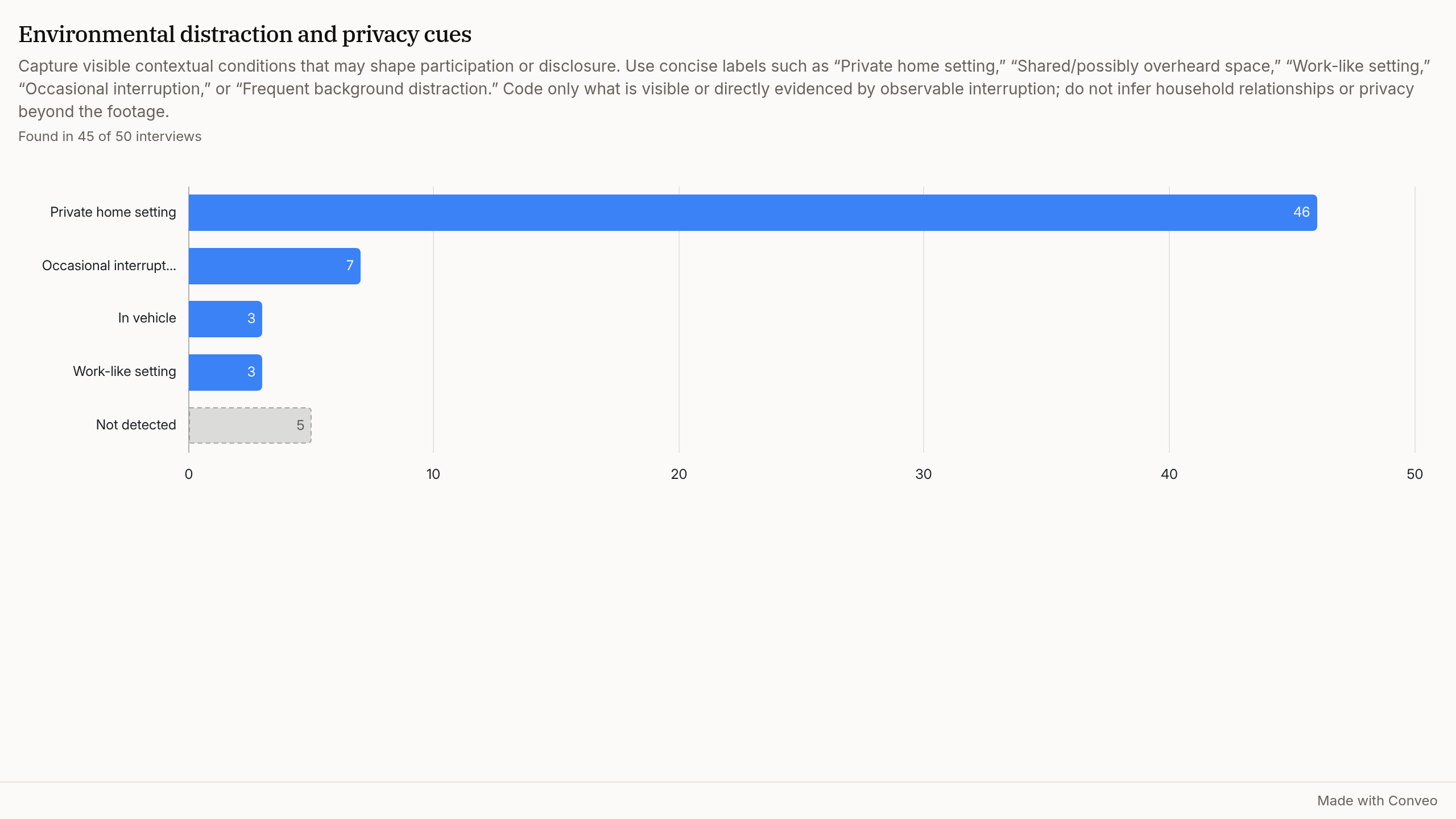
A single chart drops into a document you already keep up to date.
Research teams asked for it in four situations
These come from teams in fashion retail, quick-service restaurants, food and beverages, out-of-home advertising and consumer electronics, and from research agencies. We kept them anonymous.
Clips where the product team works. Teams wanted to send the videos to the people building the product, so they see participants for themselves.
Findings people can click. A PDF export loses the quotes and reels it mentions, so teams asked for a version stakeholders could open and play.
One chart in an existing document. Teams asked to drop a single chart into an executive summary or a deck they already maintain.
Reels inside the story. Researchers wanted quote reels to sit inside the report or slides that frame them.
What this means for your research
Your findings travel with their evidence. The people who read your intranet page see the participants, the quotes and the numbers in one place, without an extra login or a file to download.
One thing to know: embeds use the public link. Treat an embed like sharing that link, because anyone who can open the page can view the output.
Read the sharing guide to set general access on an output.