


People without access can request it from a private link
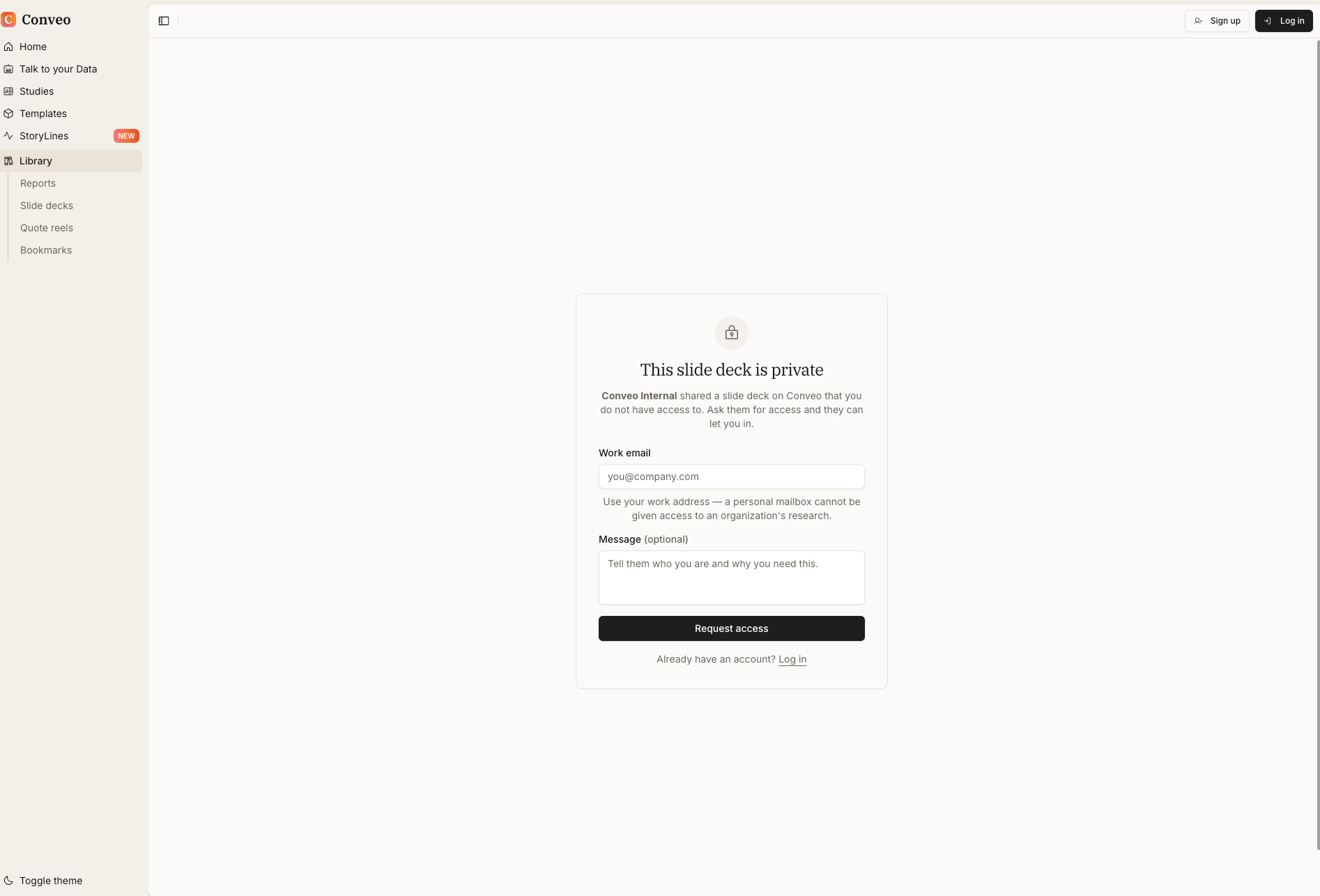
Open a private report, slide deck or quote reel link without access and you now see what was shared, by which organization, and a form to request access.
 Florian Hendrickx
At a glance
- A private link opens a request access screen
- The screen names the type of output and the organization that shared it
- Visitors send their work email and an optional message
- People with an account can log in from the same screen
Release details
- Shipped
- Area
- Platform & security
- Kind
- Improved
- Author
- Florian Hendrickx
Links travel further than the access list behind them. A director forwards your deck, a colleague pastes a report link in a team chat, and the person who clicks it has no access to the output. Until now, that person landed on a bare 404 page with no way to tell a broken link from a private one. A private report, slide deck or quote reel link now opens a request access screen that says what it is and who to ask.
Seventy-five seconds on what happens when a private Conveo link gets forwarded: where the reader used to hit a 404, the link now says what it is and who shared it, and the reader asks for access with a work email and a short note.
How it works
See what it is. The screen names the type of output, such as "This slide deck is private", and the organization that shared it.
Ask with a work email. The visitor enters their work email and an optional message about who they are and why they need it. Personal mailboxes cannot be given access to an organization's research.
Let them in. The organization that shared the output decides whether to give access.
Log in if you already have an account. People who use Conveo can log in from the same screen.
Research teams asked for it in three situations
These come from teams in consumer goods, food, pharmaceuticals, home appliances and financial media, and from research agencies. We kept them anonymous.
Forwarded links. Stakeholders clicked links sent around after a readout and needed a clear way to ask for access.
Colleagues who want in. Researchers asked how a colleague could get to a report they had heard about.
Errors that looked broken. Teams reported links that showed an error page with no hint that access was the issue.
What this means for your research
A private link stays private and still points the reader somewhere useful. You keep control of who gets in, and the people who need the findings know who to ask.
One thing to know: anyone who opens the link sees the type of output and your organization's name.
Read the sharing guide to manage who has access to an output.