In this article
TL;DR
Usability testing questions prompt participants to complete a task or recall real behavior, so the session record shows what people did.
Opinion prompts like "What do you think?" ask participants to explain themselves after the fact, which yields rationalization.
The fix is to map each question to a decision and cut any question whose evidence you cannot name.
A session runs on four question types, in order: baseline questions about current behavior, task-based questions matched to prototype fidelity, follow-up probes on hesitation, and post-task questions on confidence and effort.
Usability testing questions decide what a study can prove. Ask for opinions, and you get stories that sound like findings; ask for behavior, and you get evidence you can check against the recording. The difference usually surfaces late, when a finding lands after the release decision has already closed.
This guide covers how to plan, write, and probe usability testing questions, with a checkout question template, task-and-probe libraries, and a comparison of standard usability scales. This guide focuses on the questions; planning and running usability testing end to end, from recruiting to analysis, is covered separately.
Why opinion prompts make weak usability testing questions
Most usability testing questions fail the moment they're asked. A participant pauses on the shipping step of a checkout, clicks on, and then confidently explains a choice they never consciously made. The team logs that explanation as a finding, and it travels into the test results as if someone had observed it.
Opinion prompts like "What do you think?" and "Do you like this?" ask participants to reconstruct their own behavior after the fact. Reconstruction is rationalization: people produce a plausible story, but it rarely matches what drove the click. The gap between what users feel in the moment and what they say afterward is where most weak findings start.
Once those stories enter the notes, observation and explanation blur together. Later, nobody can tell whether a finding rests on what the participant did or what they said, so the question gets re-litigated at every review. The team then pays for the usability issues after launch, when fixing them costs far more than it would have earlier in the design process.
Three bias risks compound it, and every team conducting usability testing runs into them:
Leading phrasing plants the answer inside the question.
Recall error rewrites what participants remember doing, even minutes earlier.
Social desirability pulls participants toward the answer they think the moderator wants.
The repair starts with how usability test questions are phrased:
Before: "Do you like this checkout?"
After: "Walk me through how you'd use this to complete your purchase; what's going through your mind?"
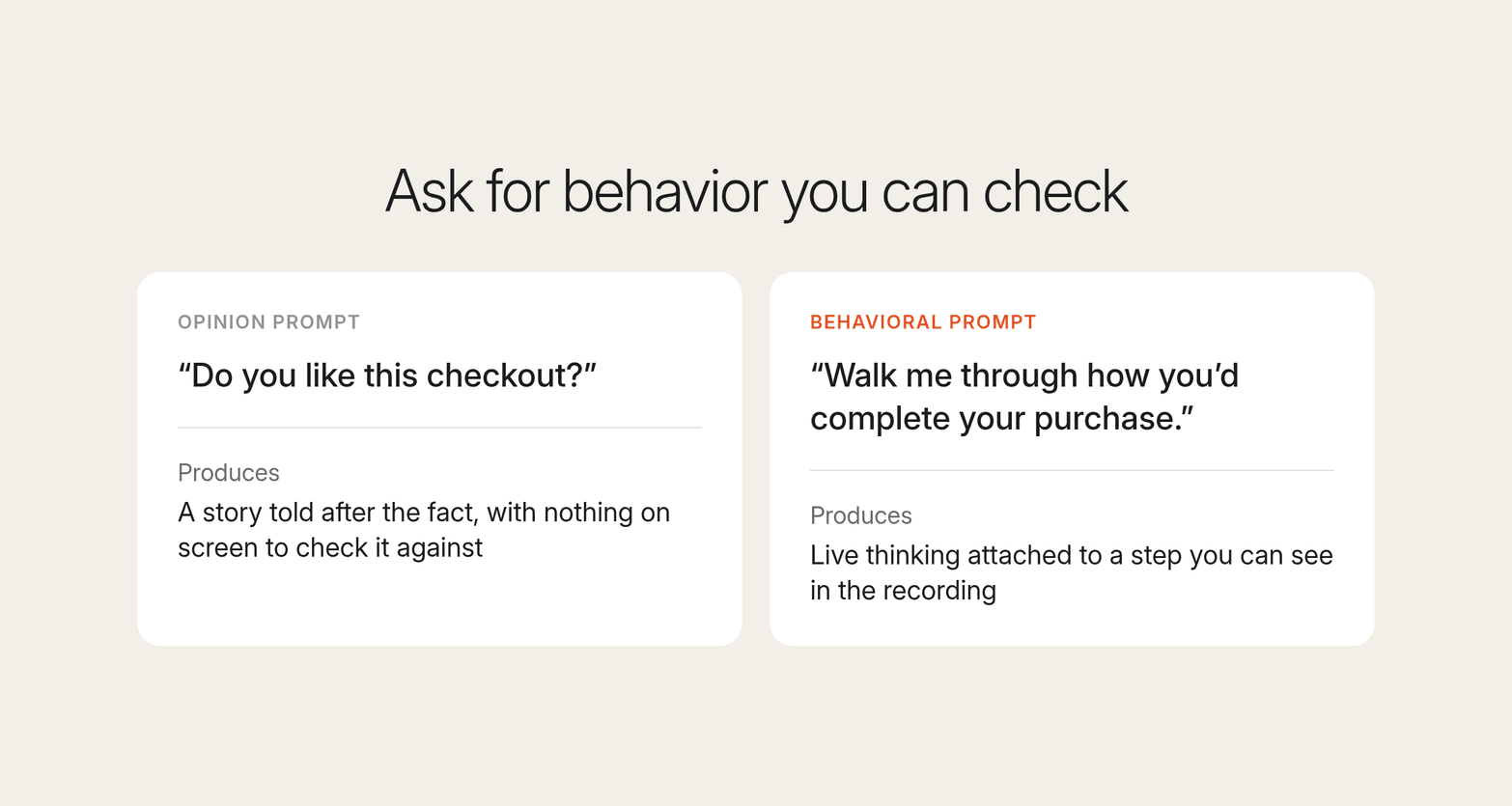
The rewrite asks for action and live thinking at the same time, so the verbal feedback arrives attached to a step the moderator can see. In usability testing, a question earns its place only if it produces a behavioral trace from real users.
Map every in-session question to a decision
Every usability testing question you ask in a session needs two things: a decision it informs and evidence it will produce. A usability test plan built this way ties each question to a test objective, so nothing enters the usability testing session without a reason. Use the checkout example below as a usability testing template and swap in your own flow.
Usability test questions template: checkout flow
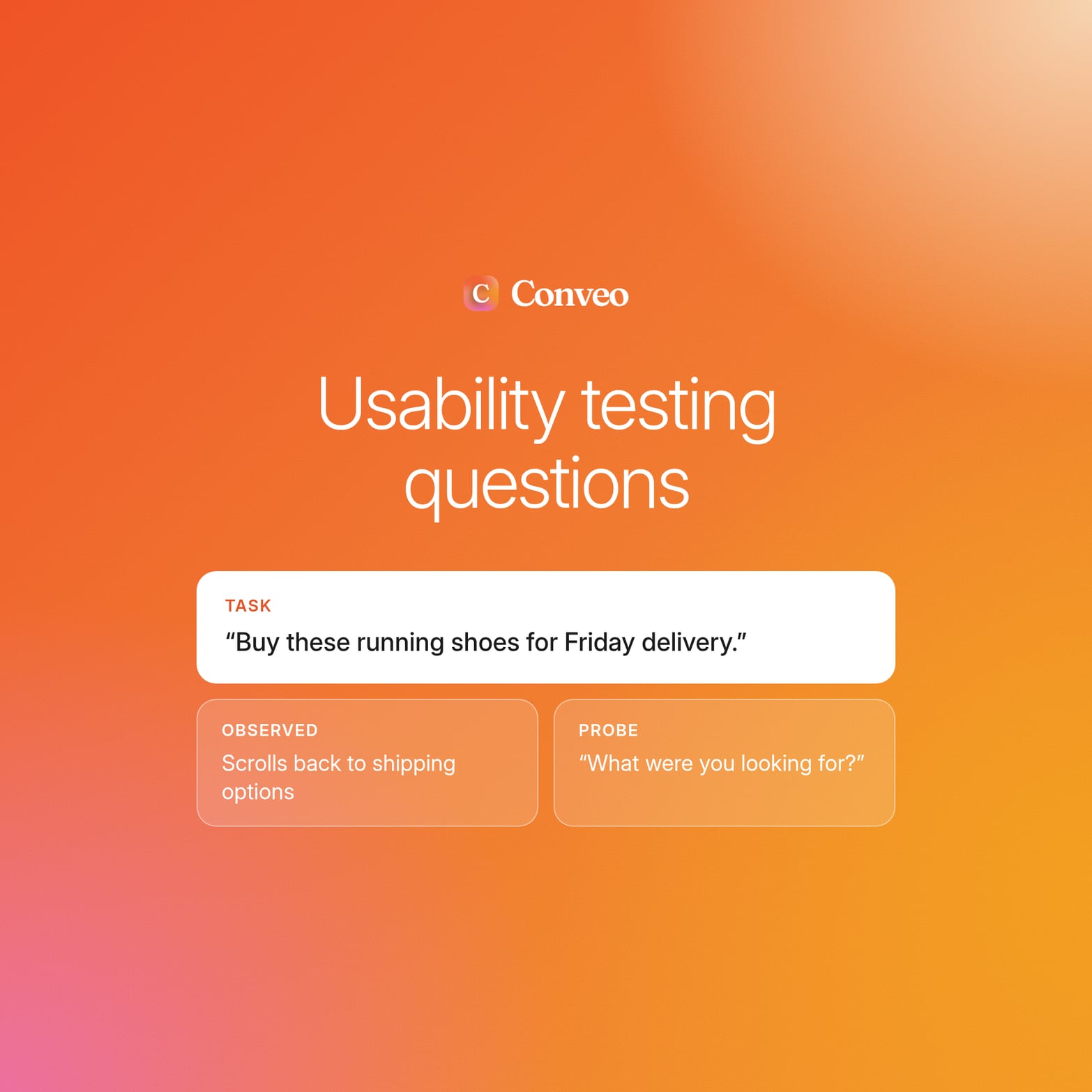
Task scenario: "You want these running shoes delivered by Friday. Buy them."
| In-session question | Decision it informs | Evidence it produces |
|---|---|---|
| "What would you do next from this page?" | Whether guest checkout ships in the next release | Where participants stall, and time spent at the account prompt |
| "What did you expect to happen when you clicked Continue?" | Whether the account prompt gets revised | The gap between what participants expected and what the screen did |
| "How confident are you that your order went through?" | Whether the confirmation state needs work | Confidence level, and the moment doubt started |
Two rules keep the plan honest:
The cut rule. If you cannot name the evidence a question will produce, cut it.
The decision rule. Every question that survives must map to a decision the design team will make, such as shipping, revising, or dropping a design.
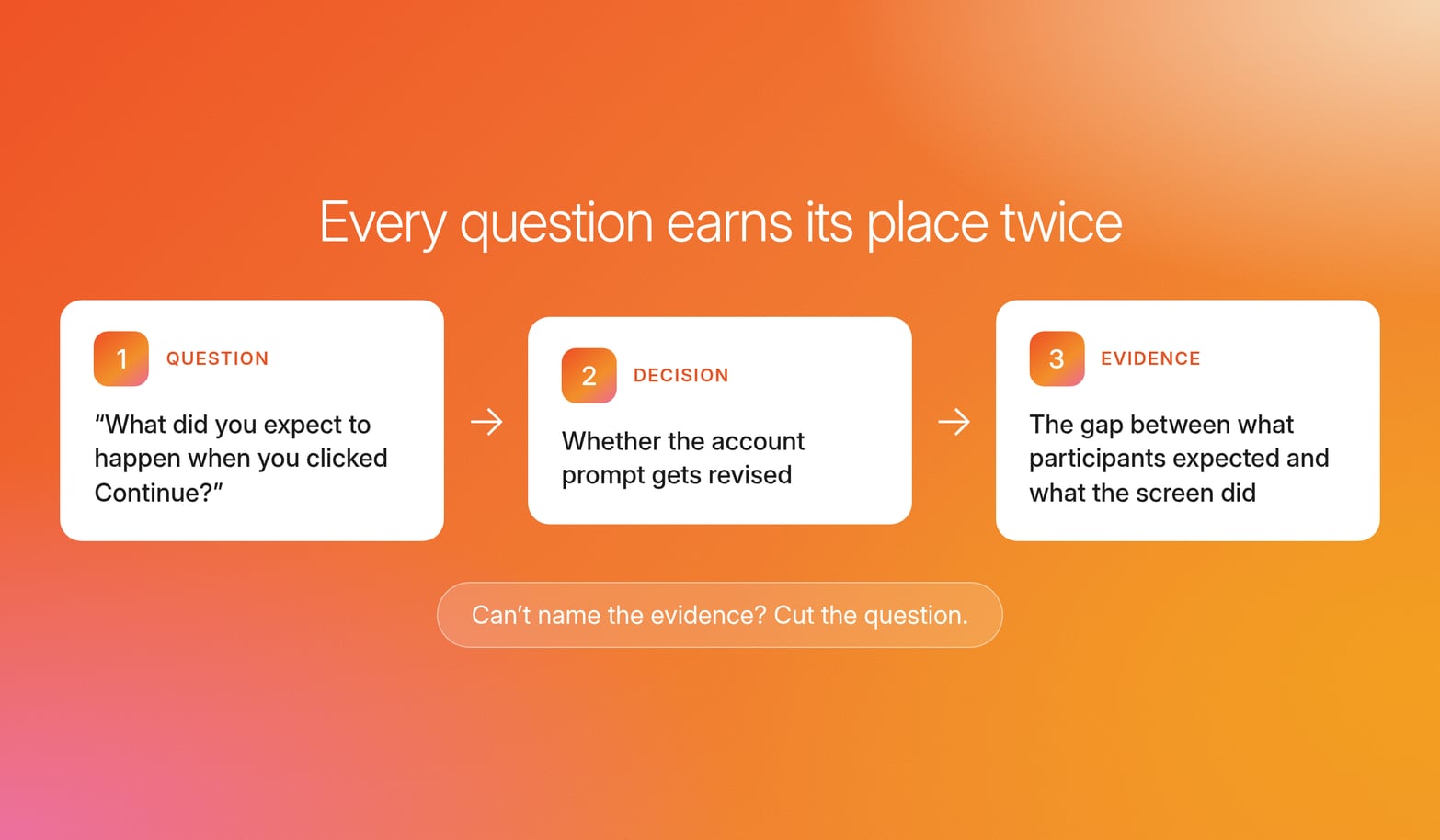
"What do you think?" fails the cut rule because no specific evidence follows from it. It yields opinions about the design, and opinions carry no diagnostic signal about where the flow breaks or which usability issues to fix first.
Write the evidence line first, then the question. It sharpens task writing, because a task with a named end state is one you can score for task success.
When every question traces to a decision and a named piece of evidence, the test results can defend the decision they inform.
Opening questions that set a behavioral baseline
Reactions to a design mean nothing without a comparison point. A participant who calls a prototype "faster" is comparing it to something, and unless the session records what that something is, nobody can check the claim. So the first questions to ask during usability testing borrow from user interview questions: they cover what target users do today and which user needs their current setup leaves open.
These questions establish that baseline before any stimulus appears:
"What are you using right now; what works and what doesn't?" Pinpoints the gaps your design must beat.
"Walk me through the last time you hit [problem]; what happened?" Forces episodic recall and reveals frequency and context.
"If this existed today, what would you stop using or stop doing to make room for it?" Tests displacement.
"What would need to be different for you to choose this over what you use now?" Produces concrete revision requirements.
Treat negative feedback such as "I already have something that does this" as the highest-value answer, because it names the competitive alternative.
Ask them before you show the user interface, because once participants see the prototype, their description of current behavior bends toward it.
Keep the answers specific. If a participant says "I usually use spreadsheets," ask which spreadsheet, for which step, and how often, until you have as much detail as they can recall about one real episode.
Baseline behavior is the yardstick: without it, every later reaction is a preference with nothing to measure against.
Task-based usability testing questions by prototype fidelity
The right usability testing question depends on what the participant is looking at and where the design process stands. These sample questions show one per stage:
| Fidelity stage | Question | Behavioral trace it produces |
|---|---|---|
| Concept stage | "Who do you think this is for?" | Whether participants see themselves as the user |
| Low-fidelity prototypes | "Show me how you'd get from here to checkout." | Path choice and wrong turns |
| High-fidelity prototypes and live products | "Complete the purchase the way you would at home." | Misclicks, recovery, and abandonment |
For a deeper breakdown per stage, our prototype testing questions cover each fidelity level.
Experienced UX researchers treat fidelity as the first constraint on wording because a participant asked to judge polish on a sketch will invent an answer to be helpful.
Concept stage
At concept stage, test comprehension before appeal. In the early stages of a product, the key question is whether intended users understand the idea.
"In your own words, what does this do?" Shows whether the core value lands without explanation.
"What problem do you think this solves?" Reveals whether participants connect it to user needs they actually have.
Ask comprehension questions before any "Would you use it?" prompt. A participant who misreads the concept can still say yes, creating a false positive.
Low-fidelity prototypes
Wireframes can't show polish, so questions here target structure: where participants expect things to go and what they do when the path runs out.
"What do you expect to happen when you click here?" Finds information architecture and flow breakdowns before visual design hides them.
"If you got stuck here in real life, what would you do next?" Uncovers fallback behavior and missing cues.
At low fidelity, mismatched expectations are structural findings, and they cost far less to fix early than after build.
High-fidelity prototypes and live products
With the real user interface, copy, and states in place, questions shift to what participants notice, read, and trust as users interact with each screen. These questions fit mobile app and website builds close to release.
"What do you notice first, second, third?" Detects visual hierarchy failures that drive misclicks.
"Read this label aloud, then tell me what you think will happen." Tests microcopy by comparing the paraphrase with what the button does.
"When did you feel unsure your action worked?" Identifies missing feedback, trust cues, and confirmation states.
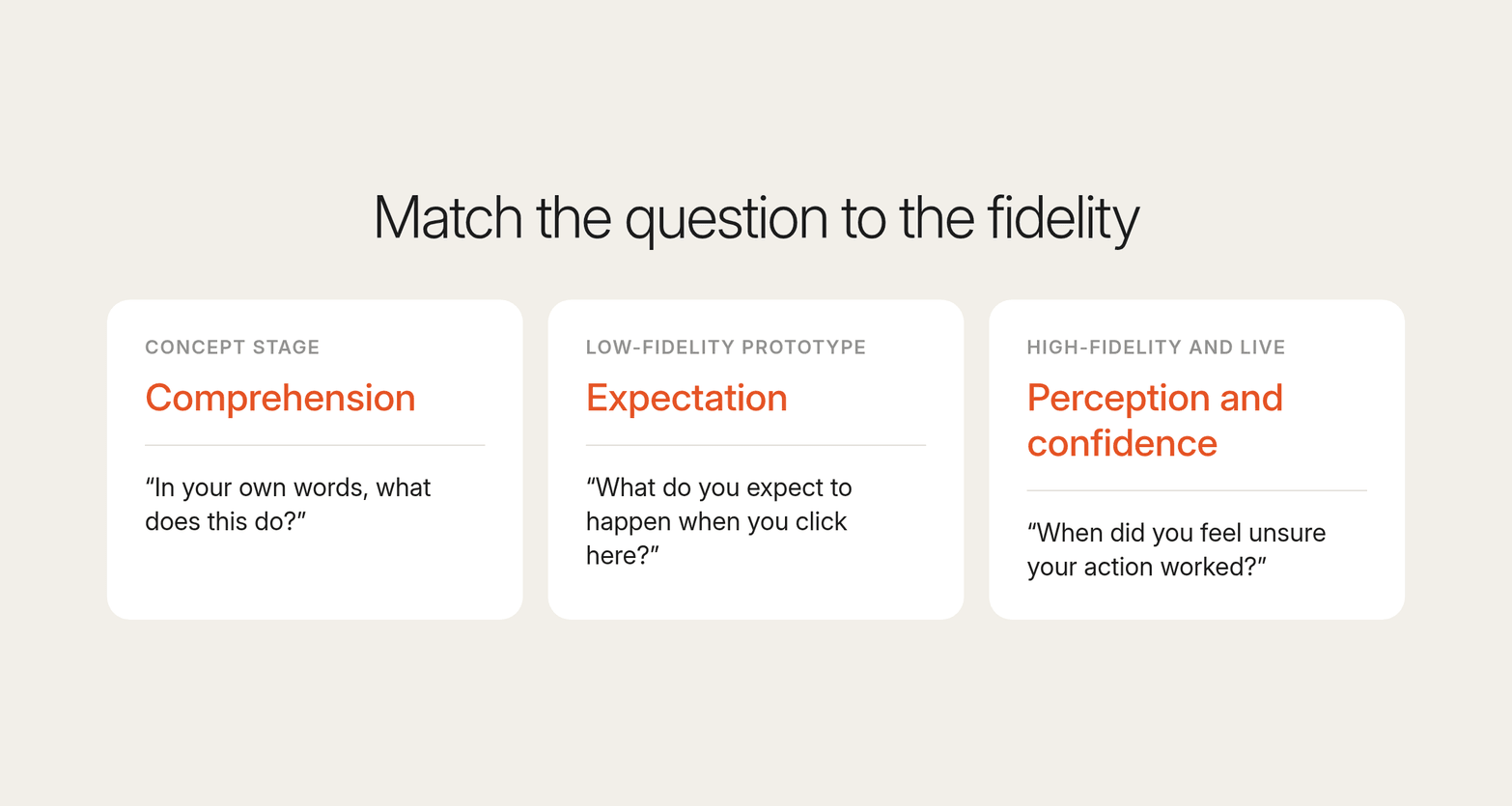
Match the question to the fidelity: comprehension for concepts, expectation for wireframes, and perception and confidence for high-fidelity and live products, where the full user experience is finally testable.
Follow-up probes that turn hesitation and vague praise into findings
Primary usability testing questions start the evidence, and the probe ladder finishes it by tying the participant's verbal feedback to an exact moment.
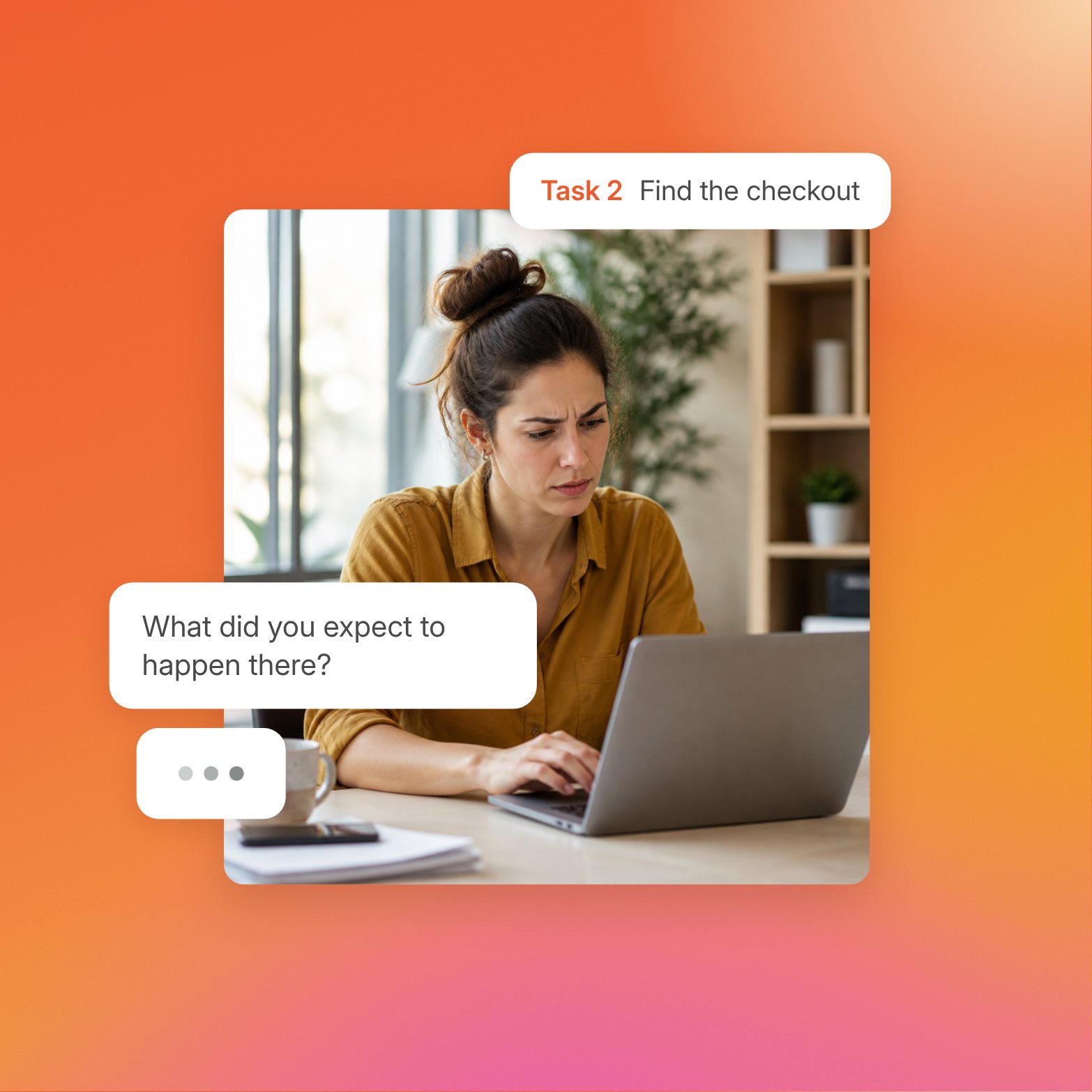
Treat hesitation as data. When a participant stops, ask: "You paused, what were you thinking?" Most test participants assume the confusion is their fault, so naming the pause without judgment gives them permission to share what they expected.
Vague praise needs the same treatment. "It's interesting" becomes "What specifically makes it interesting?" That forces the participant to point at something on screen and give as much detail as they can.
The probe ladder has three rungs:
Observe the behavior. Note the pause, backtrack, or misclick as it happens.
Name it neutrally. "You went back to the previous screen."
Ask what was going through the participant's mind. "What were you thinking at that point?"
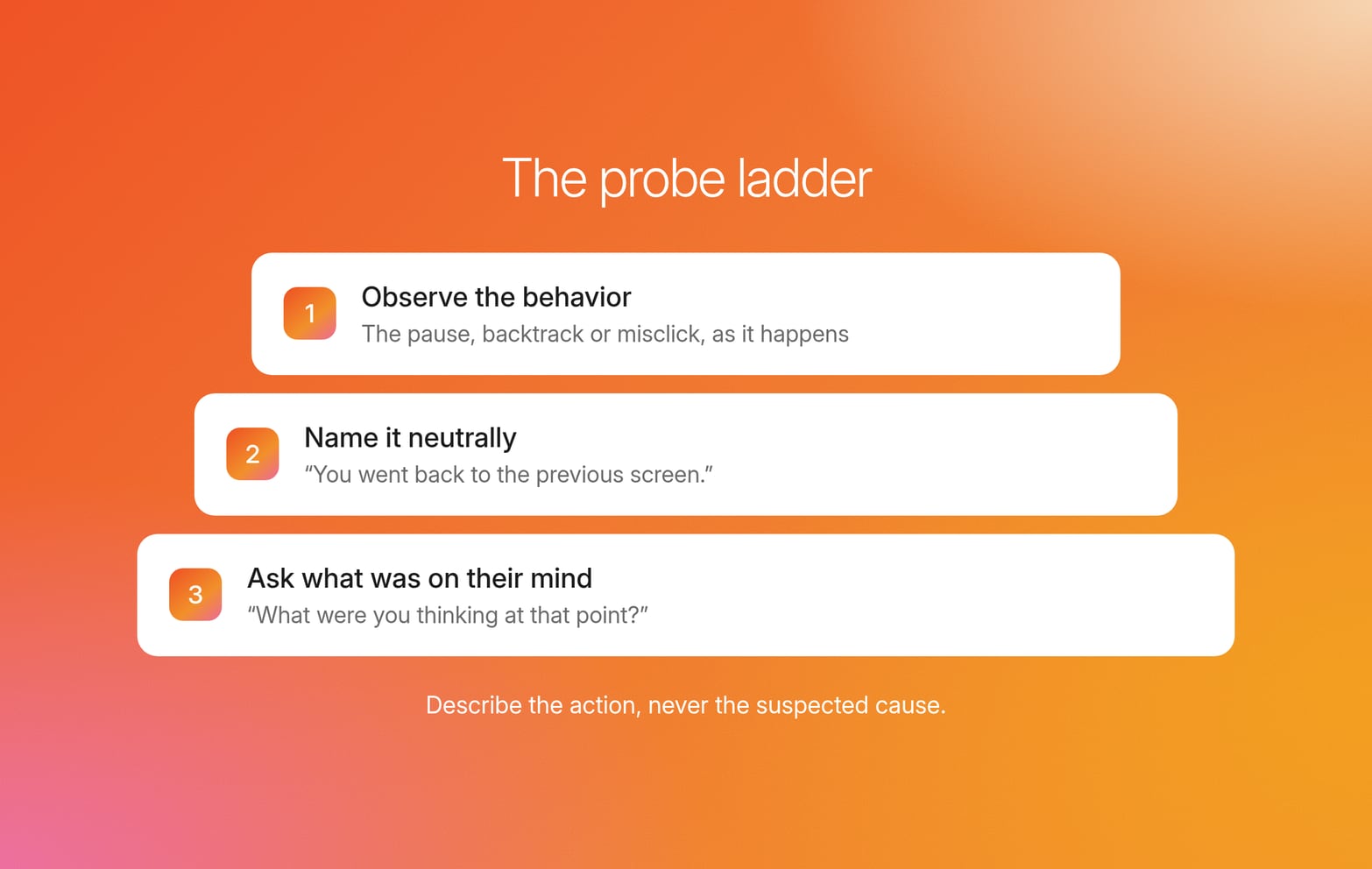
The non-leading rule: describe the action, never the suspected cause.
| Biased follow-up | Neutral probe |
|---|---|
| "Was that confusing?" | "What were you expecting to see there?" |
| "Did you miss the button?" | "You scrolled past this area. What were you looking for?" |
| "Was the price too high?" | "What would you need to know before continuing?" |
After the task ends, follow-up questions should gather feedback on three things:
Confidence: "How confident are you that you completed the task?"
Effort: "How much effort did that take compared with what you expected?"
Failure point: If the participant failed the task, ask what they expected at the step where they stopped, and log it next to the task success rate.
Skip opinions of the design here, because they invite the rationalization the task was built to avoid.
Probes pin explanations to a specific, observed moment, and that link turns a comment into a finding.
Task-and-probe libraries for onboarding, loyalty sign-up, subscription pause, and failed payments
Each consumer flow has a distinct failure mode. Onboarding breaks on first impressions, subscription changes on trust, and payment recovery on missing cues, so each flow needs its own task and probe pair. These usability testing question examples cover four flows where those failures cost the most, and each row gives you usability testing tasks you can run as written.
| Flow | Task scenario | Primary question | Non-leading probe | Evidence to capture |
|---|---|---|---|---|
| Onboarding (grocery delivery app) | "You just installed this app. Get groceries delivered for tonight." | "Show me what you'd do first." | At the first hesitation: "You stopped here. What were you thinking?" | Time to first action, skipped steps |
| Loyalty sign-up | "You're at checkout and want the member discount. Get it." | "Talk me through what you'd do here." | "What did you expect joining to involve?" | Whether participants find the sign-up unprompted, fields abandoned |
| Subscription pause | "You're away for two weeks. Stop your deliveries for that time." | "Show me how you'd do that." | Before the click: "What do you expect to happen next?" | Whether participants pause or cancel, points of surprise |
| Failed payment at checkout | Trigger a declined card at payment | "Finish your order." | "What would you do next?" | Recovery path, abandonment, whether the error message was read |
Every probe in the table describes the behavior and asks about expectation, and the same rule holds if you convert a row into usability testing survey questions to gather feedback after the session.
Treat the table as a usability testing template: keep the columns fixed and change only the scenarios, so test results stay comparable across studies, and each round lands in a UX research repository the next study can build on. A searchable insight library recognizes recurring themes and facets across studies, so the next round starts from what earlier ones established.
How researchers probe what participants do as they do it
Two logs from the same usability study can differ in one way: how the usability testing questions got asked and probed.
For UX researchers running usability research on every release, producing a log that keeps behavior and explanation separate at volume is hard. Live probing depends on a moderator catching each moment as it happens, whether the session runs in a usability lab, in person, or as remote usability testing over video conferencing.
With Conveo, researchers design the questions and the probe ladder, and the AI research assistant runs the sessions. Participants share their screen while Conveo observes where they get stuck and probes on the actions it sees. Conveo's AI research assistant asks follow-up questions when an answer is vague or leaves a gap, and analysis covers speech, tone, and facial cues across every session.
On Conveo, you can attach a clickable Figma prototype to any question in the guide. Participants click through it mid-interview; the screen and conversation are recorded together, and the AI research assistant follows up on what they say as they explore.
In an illustrative session, a participant sharing their screen scrolls back and forth between shipping options. The AI research assistant asks what they were looking for, so the explanation sits next to the behavior it explains.
See it in action: Conveo probing as participants respond.
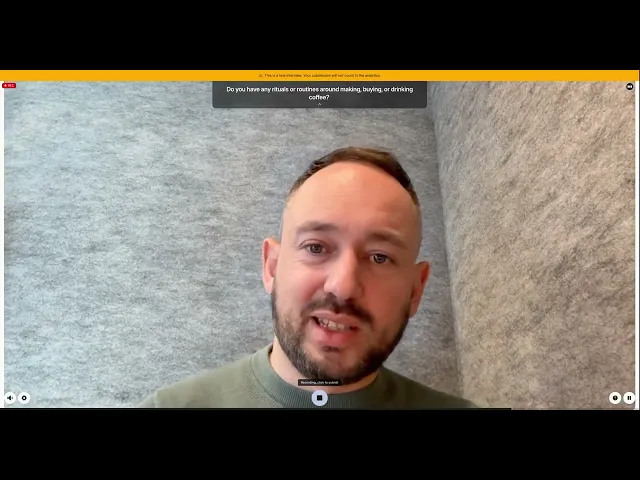
Each theme links to the participants behind it, with video clips and verbatim quotes stakeholders can audit.
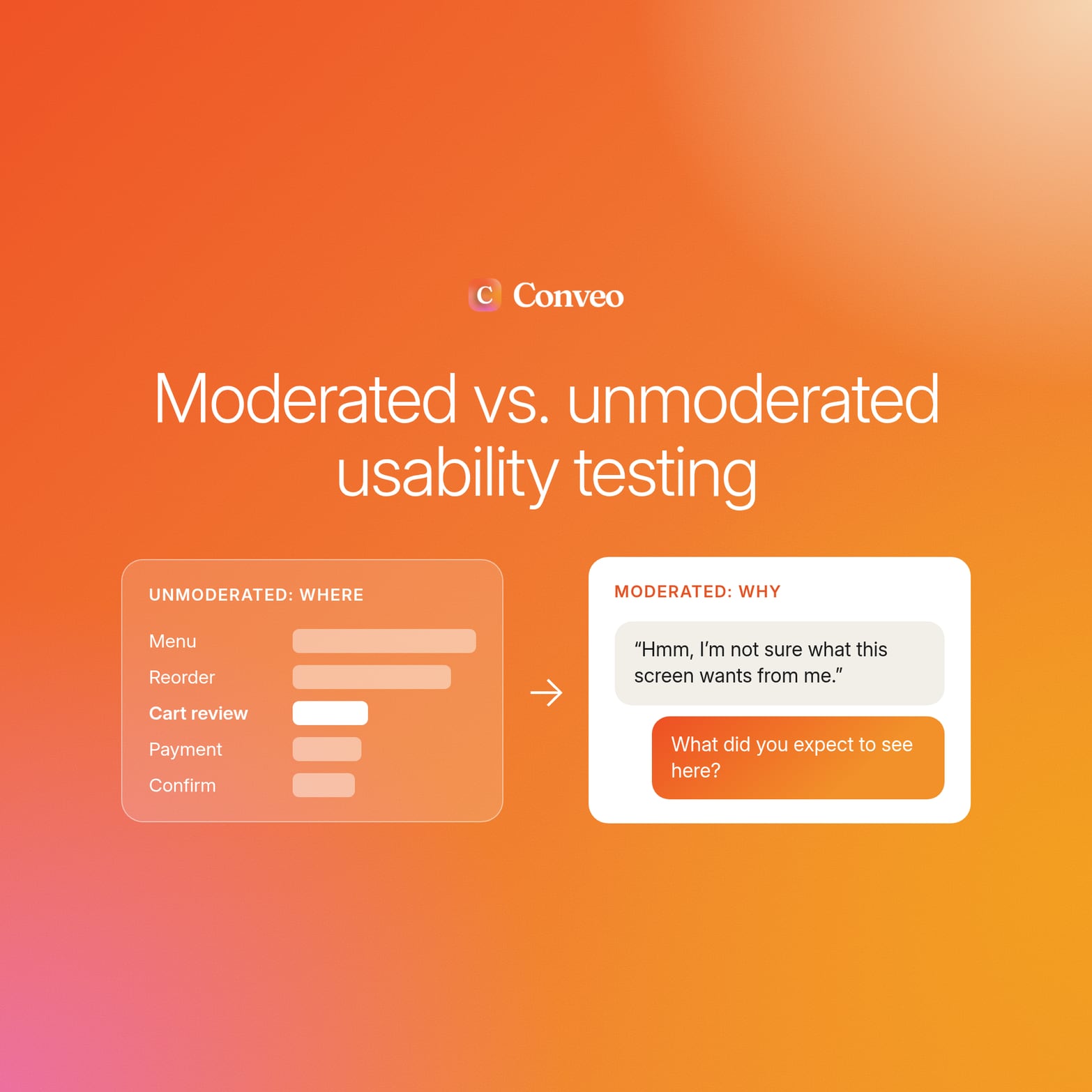
The researcher stays in the senior seat, as in any qualitative research: designing the plan, interpreting the findings, and deciding what ships. What differs across moderation approaches is how live probing trades off against session volume:
| Approach | Live probe on the moment | Session volume |
|---|---|---|
| Human moderators, in person or through remote testing | Yes | Capped by moderator hours |
| Scripted unmoderated user testing | No, the follow-up is lost | Scales |
| AI-moderated interviews | Yes | Scales |
AI-moderated research works alongside both research methods. Dedicated quantitative usability benchmarks, highly facilitated prototype walkthroughs, and sessions requiring live accommodation may still call for a specialist human-moderated setup.
Standard usability scales and how to choose between them
Standardized scales quantify perceived usability. They put a number on how users feel about a session, but they cannot stand in for behavioral evidence of where a flow broke.
Qualitative usability testing focuses on why participants struggle as users interact with a flow. Quantitative usability testing focuses on how much, using usability metrics such as task success rate and time spent on task to compare releases or two versions of a design.
Most usability testing survey questions in a post-session questionnaire draw on these four formats.
| Scale | What it measures | When to use it | Limitation |
|---|---|---|---|
| System Usability Scale (SUS) | Overall perceived usability | After the full session | Not diagnostic |
| After-Scenario Questionnaire (ASQ) | Satisfaction with each task | After each task | Self-report only |
| Single Ease Question (SEQ) | Task difficulty in a single item | Immediately after each task | Shows no cause |
| Likert items | Agreement with custom attitude statements | When standard scales miss your construct | Prone to wording bias |
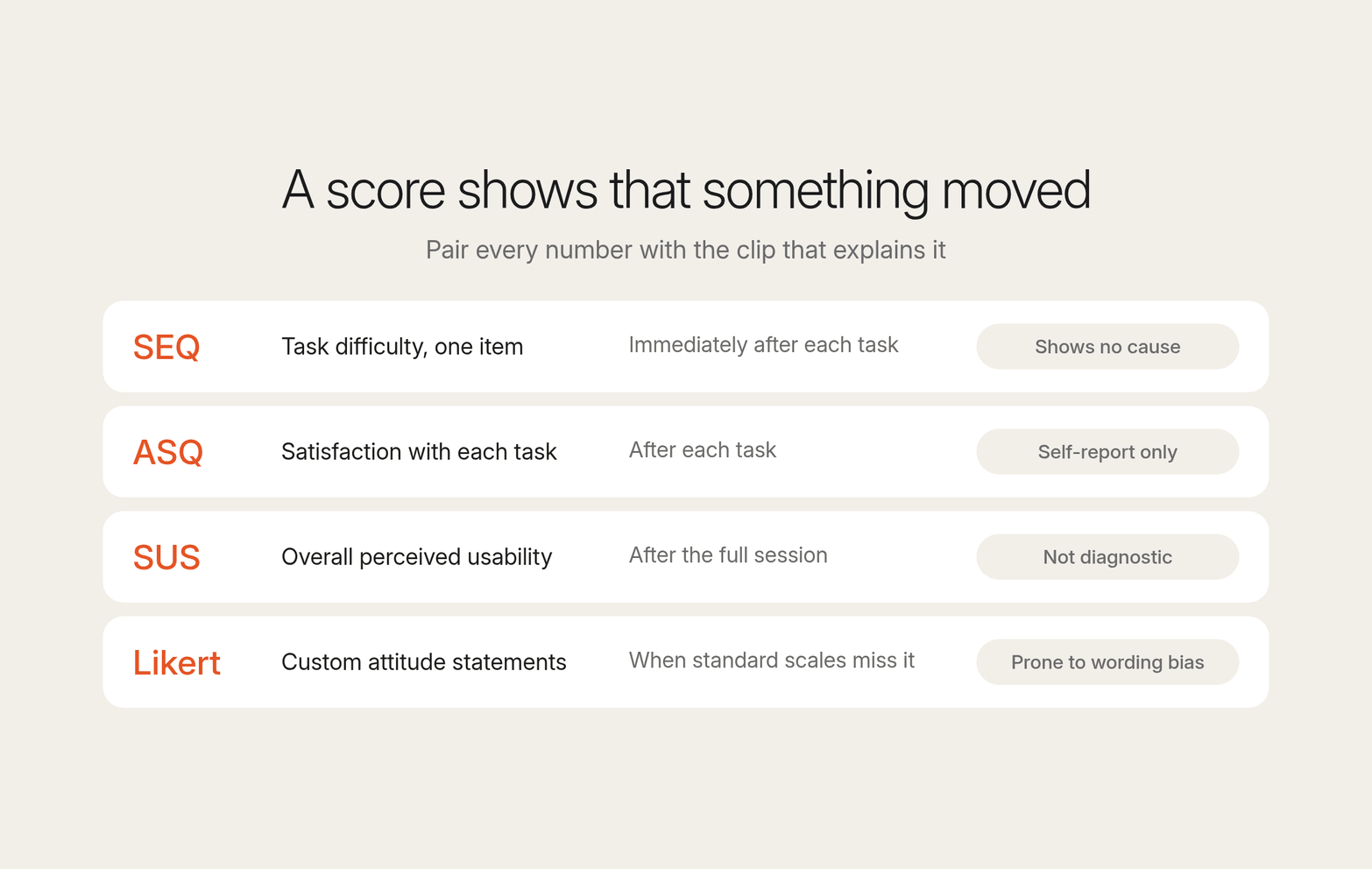
Use SEQ for per-task benchmarks and SUS for release-over-release comparison or when testing two versions side by side. Whichever you choose, pair every score with the clip that explains it.
A score tells you that something moved, and a drop in SUS with no session evidence attached invites the design team to guess at the cause.
Treat each of these usability metrics as a pointer to the clips worth watching, and let the observed behavior carry the finding.
Teams running mixed-methods research on Conveo get the count and the reason in the same video conversation, from the same participant.
Adapt your questions for unmoderated and asynchronous sessions
Unmoderated sessions lose the live follow-up, so your usability testing questions have to do the probing in advance. In remote unmoderated usability testing, nobody is present to ask about a pause. Test participants complete tasks on their own time, which means every probe gets written before the first participant starts.
Five adjustments keep question quality intact:
Write each of your usability testing tasks with a clear end state, so participants know when to stop and the recording shows whether they got there. Careful task writing matters more here than in a moderated test, because nobody can clarify a misread instruction.
Ask for think-aloud narration and repeat the reminder at the start of every task, since verbal feedback stands in for the probe.
Pre-write conditional follow-ups that trigger on a failed task or skipped step, if your setup supports branching.
Screen participants against your target audience before launch. Remote testing makes it fast to recruit users for user research, and just as fast to fill a study with people outside your intended users.
Pilot the session with a few people first to catch tasks that participants misread before they distort the testing process.
Teams running async sessions on Conveo keep the follow-up anyway, since the probe is asked in the moment even with no researcher present.
Choose between a live moderated test and async remote usability testing based on what each question needs.
Book a demo to run your own usability flow on Conveo.
Frequently asked questions
What are usability testing questions?
Usability testing questions are prompts that ask a participant to complete tasks or recall specific past behavior, so a usability testing or user testing session produces a behavioral trace of what participants did.
How many questions should one usability test include?
Only the questions that map to a decision and produce evidence you can name, typically one task scenario with two or three probes per test objective. After each task, add a confidence question and an effort question, and leave opinions of the design out.
How many participants do you need for a usability test?
For qualitative usability testing, Nielsen Norman Group research found that [five users uncover about 85% of usability problems](https://www.nngroup.com/articles/why-you-only-need-to-test-with-5-users/) (Nielsen, 2000), so five participants per distinct user group is a common starting point. [Quantitative UX research](/insights/quantitative-ux-research) needs a much larger sample, around [40 participants per NN/g](https://www.nngroup.com/articles/summary-quant-sample-sizes/), because usability metrics only stabilize with more data points. Participant selection matters as much as sample size, so screen participants carefully: five drawn from your target users will tell you more than twenty from outside your target audience.
What makes a usability testing question leading?
A question is leading when it names a suspected cause. "Was the button hard to find?" supplies the explanation; "You scrolled past this area, what were you looking for?" leaves the reason to the participant.
Can you still probe in unmoderated or asynchronous sessions?
Yes. In remote unmoderated usability testing, write tasks with clear end states, prompt think-aloud narration, and pre-write conditional follow-ups. In AI-moderated sessions, the follow-up is asked in the moment even with no researcher present.
How do scales like SUS fit with behavioral questions?
Scales quantify how the session felt and point to where something moved, but they do not explain the cause. Use the Single Ease Question (SEQ) for per-task benchmarks and the System Usability Scale (SUS) for release-over-release comparison, then pair each score with the clip that explains it.

About the author
Hendrik Van Hove
Founder & CPO
Hendrik is Conveo’s Chief Product Officer and co-founder. He's extremely passionate about technology and the real positive impact it can bring. Before Conveo, he ran AI strategy projects at McKinsey for the Fortune 2000, working with boards and every function from marketing, to sales to insights.
More by Hendrik →Qualitative insights at the speed of your business.
Conveo runs AI-moderated video interviews and structures everything they say.