In this article
TL;DR
Unmoderated usability testing, where participants complete scripted tasks with no researcher present, shows where real users abandon a task but cannot explain why, because scripts follow predefined steps with no branching.
Moderated usability testing lets a researcher probe in the moment, but a small research team can only run a handful of live sessions per study, and the cycle from recruitment to debrief typically takes several weeks.
Choose by question type and decision deadline, and use AI-moderated video sessions when a sprint question needs both probing and volume at once.
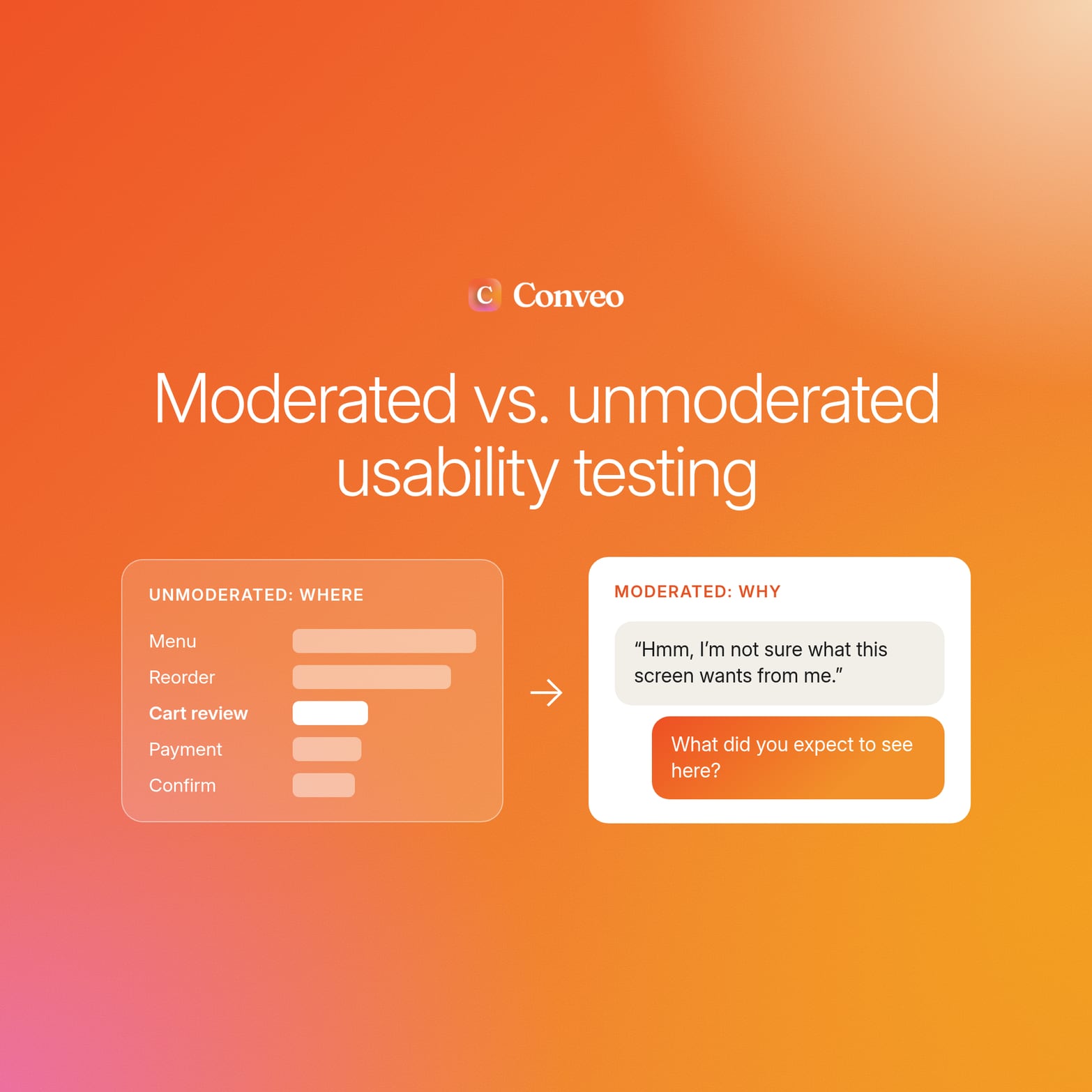
The unmoderated usability testing report is clear on one point: users abandoned the delivery app's reorder flow at the cart review screen. The quantitative data says nothing about why they hesitated or what they expected to see.
The method was sound, and the choice behind it was the problem. Teams choose by cost per session, so unmoderated testing lands on questions that needed probing, and moderated testing gets spent on tasks that needed volume.
The product manager wants a fix by Friday, the designer has three hypotheses, and the data collected supports all of them. By the time the follow-up research comes back, the decision is usually already made.
This article is for UX researchers, UX designers, and insights leads who need actionable insights inside the sprint that asked for them. If you're new to usability testing, start with how to plan and run a test, then use this guide to pick the format. It covers a definition of each method, a decision framework built on question type and research goals, and fixes for preserving depth when sessions run without a live moderator.
The reorder example is a representative scenario, not a reported result from a named customer study.
What is unmoderated usability testing, and what is moderated usability testing?
Unmoderated usability testing, sometimes called unmoderated user testing, is a method in which participants complete scripted tasks on their own, with no researcher present and no ability to follow up.
Moderated usability testing is a method where a researcher guides participants through tasks live, in person or over a video conferencing call, and probes in the moment.
Both fall under the broader set of UX research methods; what separates them is whether anyone can follow up.
Both methods now run remotely, so in remote usability testing, or remote user testing, "remote" describes the setting rather than the method. Remote moderated usability testing keeps the live researcher and drops the lab. In-person testing still earns its place when the team needs to observe users with a physical device or in a controlled testing environment.
How unmoderated usability tests work
The team writes predefined task scenarios in a user testing tool and sends participants a link. Participants complete tests on their own device, in their own time, while session recording captures screen and audio in a natural environment. Automated tools log completion rates, time on task, and click paths for review after the sessions close.
The structural limit sits in the script. Task scripts have predefined steps and no branching, so they cannot follow up on an unexpected click, a misread label, or a participant who says "I'm not sure" and moves on. The video recordings capture the moment, but nobody is there to ask what it meant. That is the price of scale: less control over what each session reveals.
How moderated usability tests work
A moderated usability test runs on a calendar. The team books each participant into a session slot, and a researcher works through a discussion guide while the participant attempts the tasks. When the participant pauses or backtracks, the researcher asks a follow-up question on the spot, and that direct interaction turns an observed hesitation into an explained one.
The structural limit is scheduling. Moderating usability tests takes a researcher's full attention for every session, plus prep and synthesis. In practice, a small research team runs only a handful of testing sessions per study, and recruitment and debriefing typically take several weeks.
Each method answers a different question, so the choice depends on what the team needs to know.
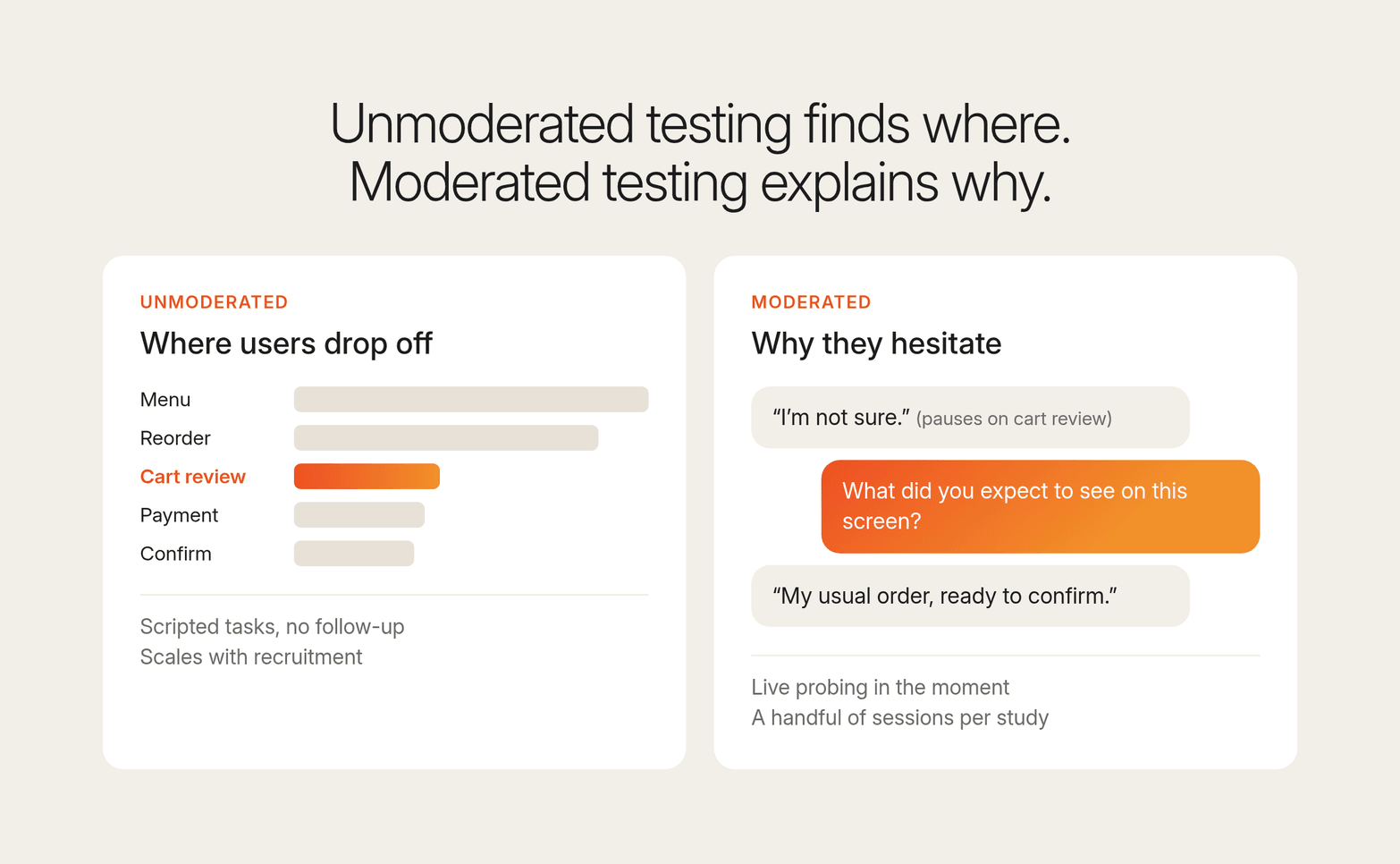
Moderated vs unmoderated usability testing: where each approach fits
The difference between moderated and unmoderated usability testing comes down to one capability: whether anyone can ask a follow-up question in the moment. The table below compares moderated and unmoderated usability testing across the dimensions that shape a research plan.
| Dimension | Unmoderated | Moderated |
|---|---|---|
| Follow-up probing | None. Scripts follow predefined steps. | Live, based on what the participant says |
| Sessions per study | Scales with recruitment | A handful, capped by researcher hours |
| Scheduling overhead | Low. Participants start when they choose. | High. Every session needs a booked slot. |
| Time from recruitment to debrief | Set by recruitment speed and analysis time | Several weeks |
| Best for | Task completion, benchmarks, prototype testing, validating known flows | Mental models, early concepts, sensitive topics, "why" questions |
| Typical failure mode | Clear drop-off data with no explanation | Rich insight from too few participants, delivered late |
Among usability testing methods, unmoderated testing is built for volume and is the most direct way to collect quantitative data at scale. It fits:
Task completion studies that need enough sessions to trust a rate
Benchmark comparisons of key features across releases
Validation of a known flow, from web checkouts to mobile apps
It earns its place when the team already knows what success looks like and wants quick feedback on whether a design meets it; for prototype rounds, build tasks from a set of prototype testing questions.
Moderated testing fits when the team does not yet know what it is looking for. These questions need someone who can follow a thread and adjust:
Unclear mental models
Early concepts
The reasons behind user preferences
Sensitive topics such as money or health
A live researcher can also read facial expressions and body language, which no completion metric records. It is the stronger choice whenever the qualitative data matters most.
Many teams sequence the two: an unmoderated round to locate usability issues, then a small moderated round to explain the pain points behind them. The sequence breaks when the decision closes before the second round starts.
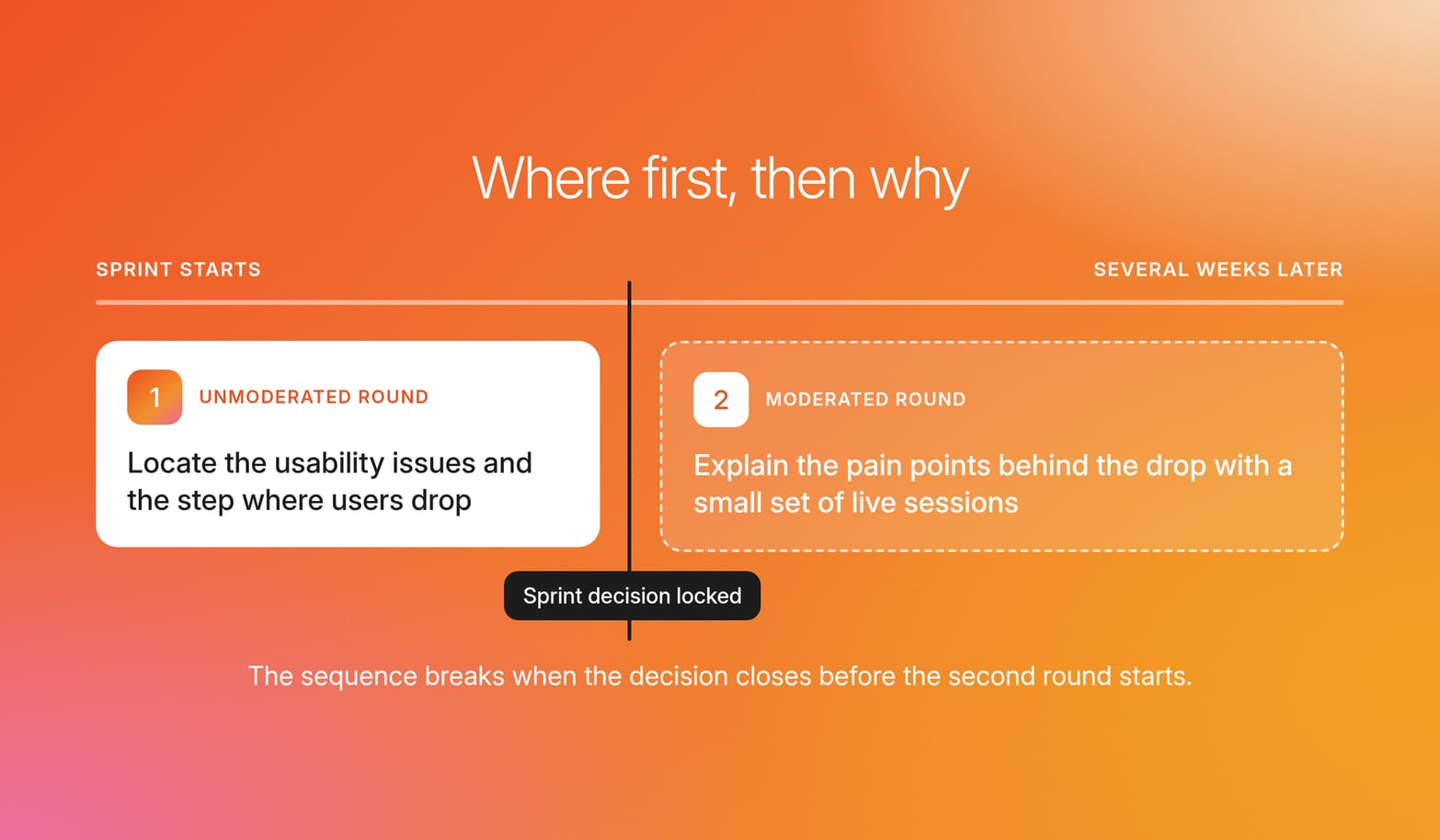
Use unmoderated usability testing to find where users drop off and moderated testing to learn why, and expect a penalty if you reverse the two.
The cost-per-session trap: why teams pick the wrong method
Choosing a method on cost per session sends probing questions to unmoderated testing and volume tasks to moderated testing. Unmoderated sessions look inexpensive on a budget line, and moderated sessions look like the rigorous default for anything important.
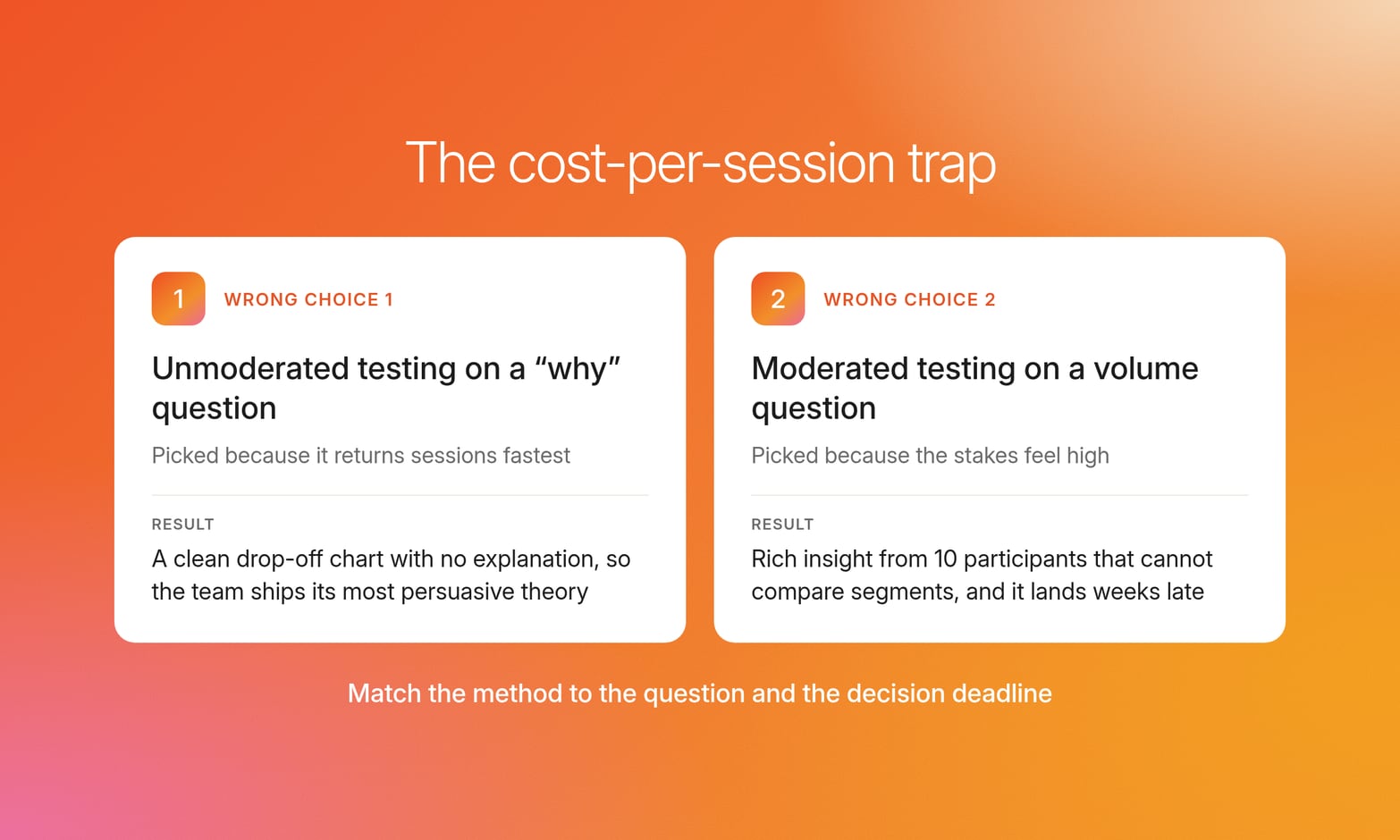
Wrong choice 1: unmoderated testing on a "why" question
The team runs unmoderated usability testing on the cart review abandonment because it returns sessions fastest. The test results confirm the drop-off with a clean chart and video clips of participants pausing and leaving, but they cannot say what those participants expected to find. The analysis arrives after sprint decisions are locked, the team picks the most persuasive theory, and the drop-off may move to the payment screen.
Wrong choice 2: moderated testing on a volume question
The team runs 10 moderated sessions to validate a high-volume task flow because the stakes feel high. The sessions produce valuable insights: verbal feedback, hesitations, and workarounds nobody had considered. But 10 participants cannot support a comparison across user groups, which is a quantitative UX research question. The study also lands several weeks after the question was asked, often after the flow has shipped.
Signs you applied the wrong method
Each team ran a sound method against the wrong question, and the mismatch repeats from sprint to sprint.
The report says where users dropped, but the team debates why.
Findings arrive after the sprint decision is locked.
The same handful of participants are expected to represent several segments.
Stakeholders say "I don't believe this" because there is no clip showing the moment.
The real cost of a study is making a decision without the answer.
How to choose between moderated and unmoderated usability testing
Start by considering the type of question the team needs answered. Four questions about the research goals and target audience often determine the best approach.
Do you need to know where users fail, or why? A "where" question points to unmoderated testing, and a "why" question means the study needs probing.
How many participants does the decision require? Dozens or hundreds across segments mean the study must gather quantitative data at volume, while a handful from one segment makes depth feasible.
When does the decision close? If it closes before a moderated cycle of several weeks would end, live moderation alone will not fit the timeline.
How many markets and languages are involved? Multi-market work adds weeks to scheduled sessions, because each market needs local recruitment, a translated guide, and a moderator who speaks the language.
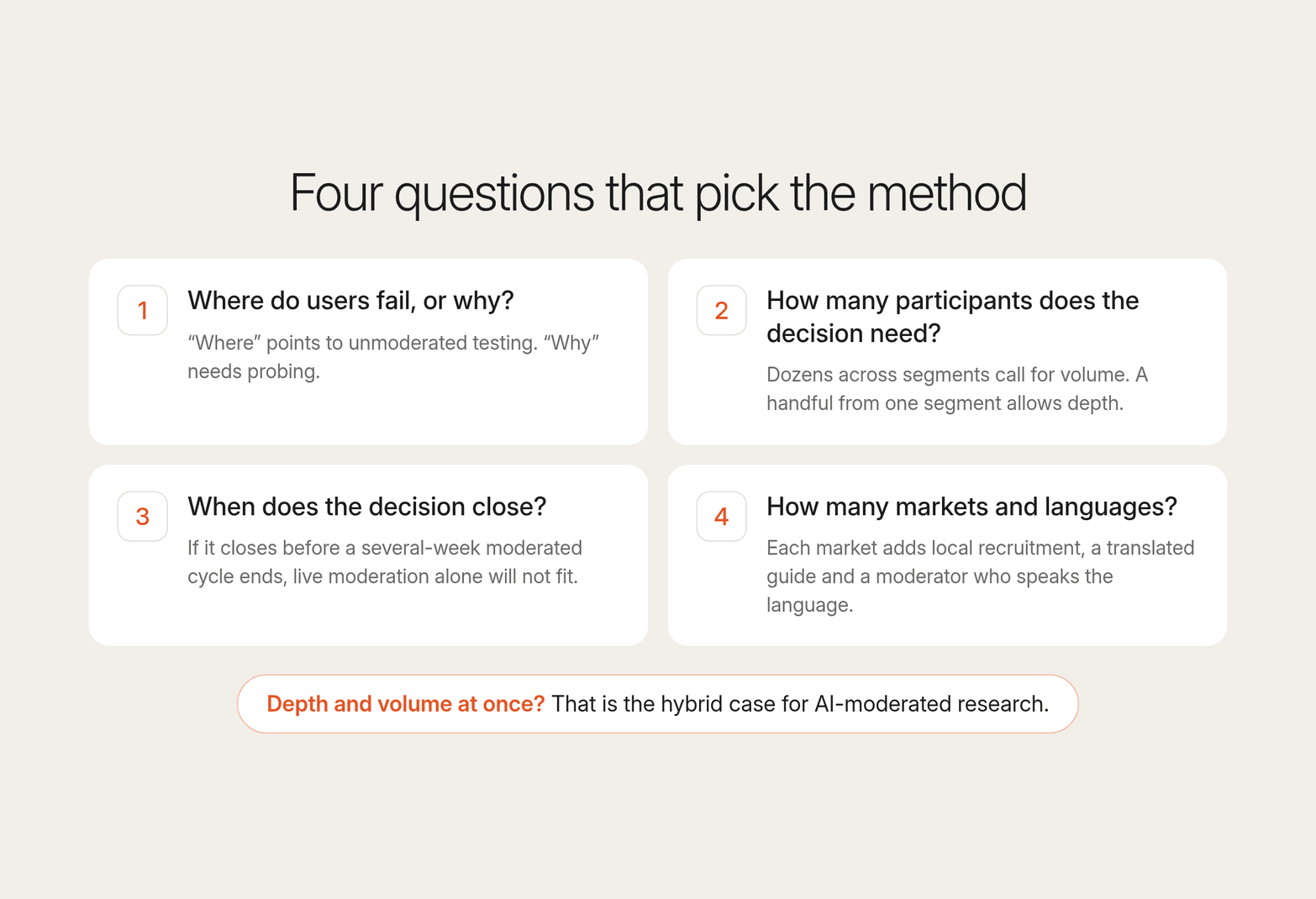
Run the reorder study through these questions and the answers split: the team needs to know why users hesitate, across enough participants to compare segments, before the sprint closes. When a study needs both depth and volume, the framework points to a hybrid need that scripted unmoderated tasks and calendar-bound moderation cannot meet alone.
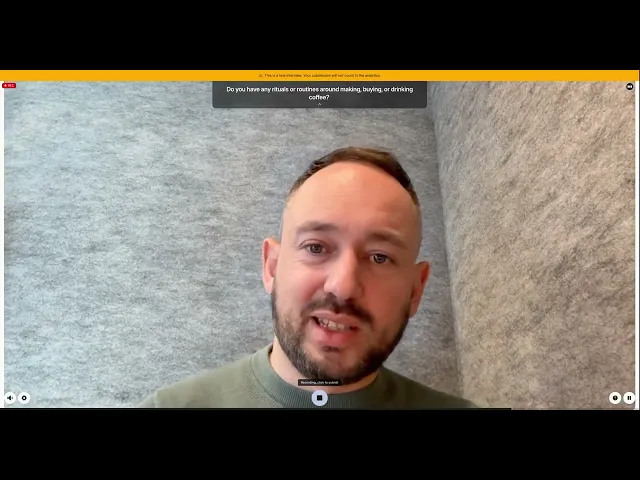
AI-moderated research is built for this hybrid case, where a study needs both probing and volume. In Conveo, the AI research assistant asks follow-up questions live on what each participant says, without a researcher in every session. Because sessions run in parallel, depth and throughput are no longer two ends of one trade-off. Each theme links to the participants behind it, with video clips and verbatim quotes stakeholders can audit.
Participants share their screen while Conveo observes where they get stuck and probes on the actions it sees. You can also attach a clickable Figma prototype to any question in the guide. Participants click through it mid-interview; the screen and conversation are recorded together, and the AI research assistant follows up as they explore.
Segment-specific starting points
| Segment | Question type | Method fit | Risk to watch |
|---|---|---|---|
| Product designer validating a checkout or onboarding flow | "Where": which step loses people | Unmoderated testing early in the design process, using a user testing tool that adds targeted probes on failing steps | Treating a completion rate as a diagnosis and redesigning the wrong step |
| UX researcher managing a multi-market program | Volume and language at once, so live scheduling becomes the bottleneck | A moderated usability testing platform with native-language moderation, recruitment that works with your own panel, and analysis that compares markets in one place | Running markets in sequence until the earliest findings are stale |
| Insights lead supporting a product roadmap debate | "Why" evidence that holds up with skeptical stakeholders | Moderated depth, with moderated usability testing tools that make every claim traceable to a video clip or verbatim quote | A sample too small to settle the argument, so the debate reopens at the next review |
Choose by question type and decision deadline, and treat any study that needs both depth and volume as a gap in your current method set.
How to keep depth in unmoderated usability testing
Scripted unmoderated tasks can still produce decision-ready "why" if the study design builds the follow-up in before launch. The work of capturing qualitative data moves from the session to the script, so you must write and place every probe in the testing process before the first participant starts.
1. Write unmoderated usability testing questions that capture the "why"
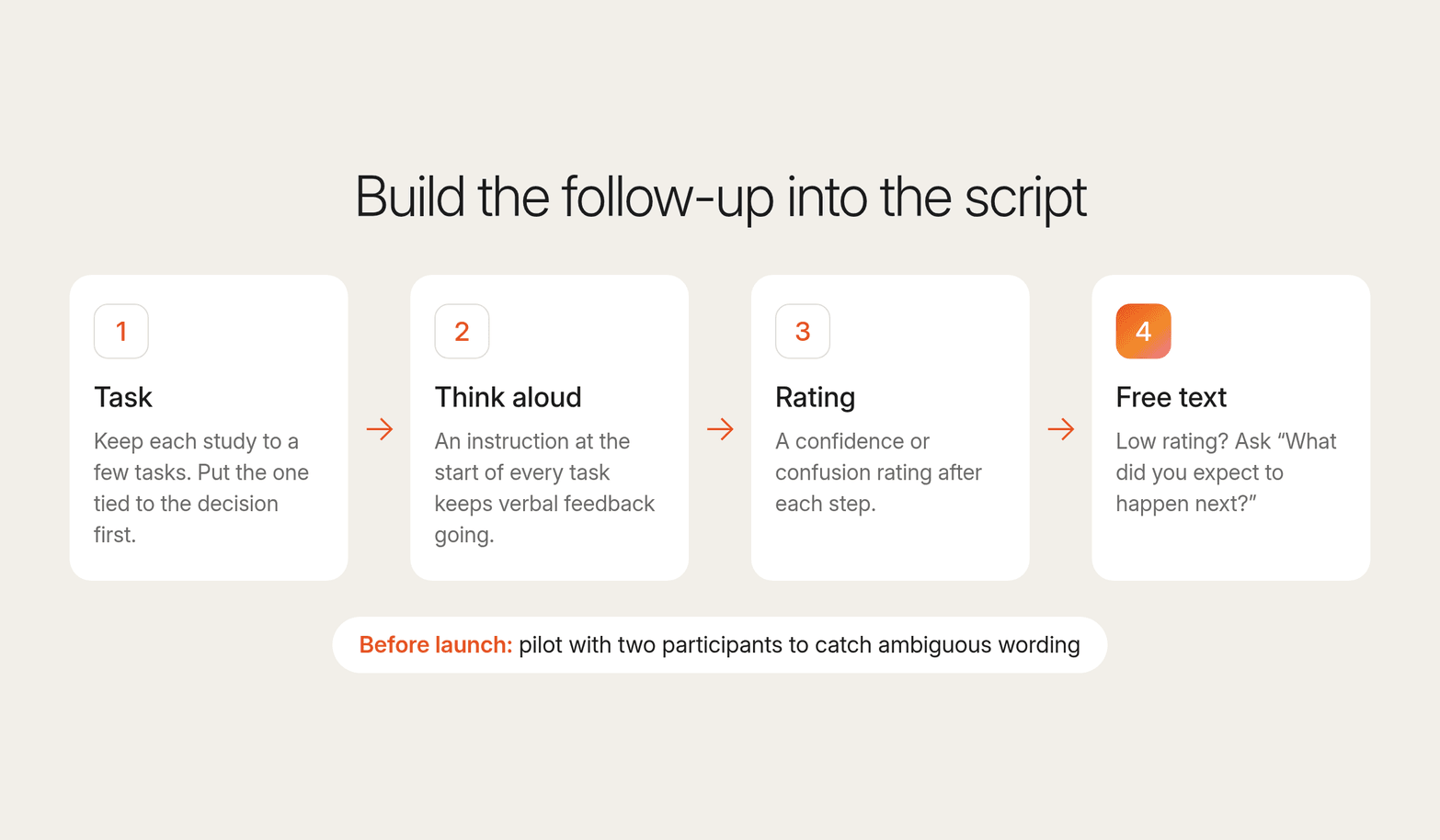
Pair every task with an open-ended post-task prompt, such as "What did you expect to happen next?"
Add a think-aloud instruction at the start of every task to keep verbal feedback going after participants fall quiet.
Place a confidence or confusion rating after each step, then a free-text prompt for low ratings. This is the closest a script gets to a follow-up.
Keep each study to a few tasks, because fatigue degrades verbal detail. Put the task tied to the decision first.
Run a pilot test with two participants before launch to catch ambiguous wording and technical issues.
These practices make unmoderated usability testing questions more useful, but they cannot create conversational branching. A script still cannot follow up on an unexpected click or a workaround nobody predicted, so plan the remaining "why" questions for other methods that can probe.
2. Build in participant authenticity and governance checks
A well-written probe only produces depth if the right person answers it and the team can show where each finding came from.
Screen on recent behavior, such as what participants last bought, booked, or signed up for, and check that answers fit the target audience. This also filters out professional testers who join studies for the incentive.
Compare what participants claimed in the screener with what they do on screen, and flag sessions where the two diverge before analysis.
Link each theme in the report to the verbatim quote and video moment behind it, so stakeholders can check the evidence themselves.
Ground every finding in real users. Synthetic respondents vs real participants is the line here: only a real person's answer is a finding.
Set governance before you collect data: consent language, where recordings are hosted, who can access them, and how personal data gets deleted on request.
In Conveo, screener questions qualify participants before the interview starts, including AI screening of open-text answers. Procurement and legal reviews move faster because the answers exist before the first session: SOC 2 Type II and ISO 27001:2022 certified, GDPR compliant, EU hosting (Belgium), single sign-on, and study data can be deleted on request.
How to get moderated depth at unmoderated scale with Conveo
Most product teams face the same bind every sprint. The question needs probing, the decision needs volume, and the calendar does not allow two studies.
With Conveo, UX and product teams keep video conversations running alongside every sprint. Conveo StoryLines is the wave-based program built for this: Continuous Consumer Understanding that keeps a question open across sprints. Researchers still shape the study design, frame the hypotheses, and interpret the findings.
"You see them physically doing it. Testing the product for the first time, being probed right there. That unfiltered, in-the-moment reaction is possibly the most powerful thing you can see as a researcher."
Dafydd Jones, Associate Director, Ninth Seat
Take the reorder question as a sprint-sized study:
A designer writes the tasks and probes early in the sprint.
The team recruits through Conveo's integrated panel network or brings its own participants.
Sessions run in parallel, so the team can collect data across segments at once.
Analysis is ready shortly after fieldwork closes, with themes, quotes, and video clips for the sprint review.
Conveo can run 100 interviews in 3 days, so findings arrive while the sprint decision is still open. The same study can reach participants through 8 integrated panel partners or your own lists, in 50+ languages, under the same governance controls.
Each study then lands in a searchable insight library that works as your UX research repository. Run the next question as another StoryLines wave, and it starts from what earlier waves found.
Frequently asked questions
What is moderated usability testing?
Moderated usability testing is a research method in which a researcher observes users attempting tasks in real time and asks follow-up questions as they work. Sessions run in person or through video conferencing tools. This method is strongest when the team needs to understand user behavior, and it trades volume for depth because each session requires a researcher present.
What is the difference between moderated and unmoderated usability testing?
The difference is whether someone can ask follow-up questions during the session. In unmoderated usability testing, participants complete tasks alone, so the study surfaces usability issues at scale but rarely explains why. In moderated testing, a researcher probes live, which explains user behavior but limits how many sessions a team can run.
When should you use unmoderated usability testing?
Use unmoderated usability testing when you want to know whether people can complete a task and need enough sessions to trust the results. It suits benchmarking, prototype testing a known design, and measuring completion across user groups. It is a weaker fit for early concepts, where the useful finding is often a reason no script anticipated.
Can AI-moderated sessions replace moderated usability testing?
No, AI-moderated sessions extend UX research capacity, and moderated testing stays essential for co-design, sensitive topics, and studies where direct interaction with a researcher shapes the answer. An AI research assistant helps when a question needs both depth and volume, and researchers still review the verbatim quotes and video behind every theme.
Should cost decide which usability testing method you use?
Cost works best as the last filter. Choosing by cost per session first pushes probing questions onto unmoderated testing and volume questions onto moderated testing. Start with the question type and the deadline, then compare session cost within methods that fit both.

About the author
Hendrik Van Hove
Founder & CPO
Hendrik is Conveo’s Chief Product Officer and co-founder. He's extremely passionate about technology and the real positive impact it can bring. Before Conveo, he ran AI strategy projects at McKinsey for the Fortune 2000, working with boards and every function from marketing, to sales to insights.
More by Hendrik →Qualitative insights at the speed of your business.
Conveo runs AI-moderated video interviews and structures everything they say.