

The Service Marketplace is a pilot. It appears in the navigation only for organizations where Conveo has enabled it. Contact services@conveo.ai if you would like access.
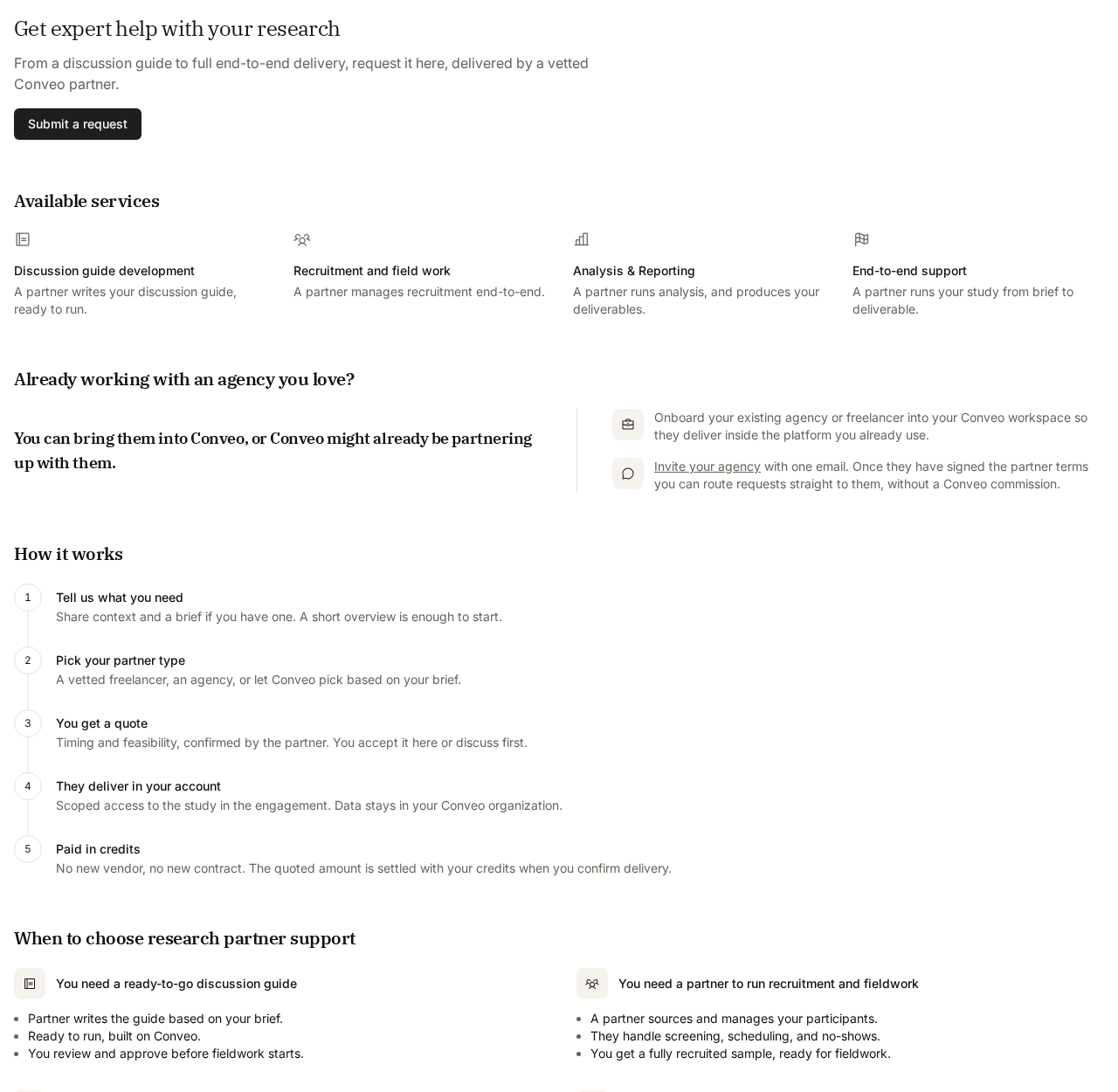
What partners can do
Requests cover one or more of these services:
The How it works tab in the Service Marketplace summarizes the flow and answers common questions about partner types, vetting, payment, and data access.
Browse partners
Open Service Marketplace from the main navigation and choose Partner directory. Each listing shows the partner’s type (freelancer or agency), the services they offer, the industries they work in, and a short profile. Filter by service, industry, or country, or search by name. Open a listing to read the full profile, then use Start a request to request that partner specifically.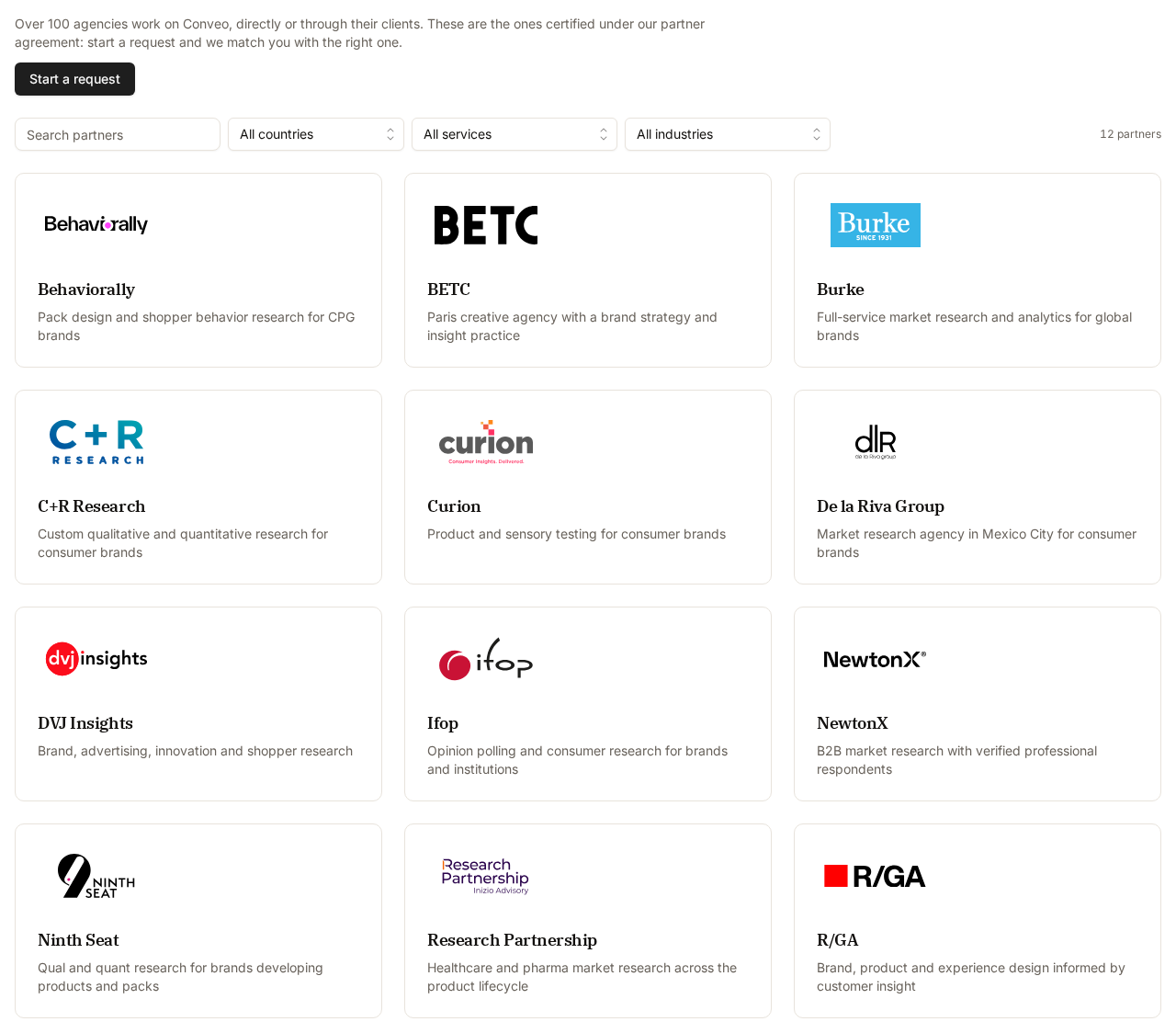
Bring your own agency
If you already work with an agency, you can invite it into the marketplace from the Invite your agency link on the How it works tab (or Onboard your own agency on the request form). Enter the agency name and a contact email; Conveo emails one invitation. Once the agency has signed the partner terms it shows up under Your agencies when you pick a specific partner, and you can route requests straight to it.Submit a request
Open My requests and choose Start a request (or Submit a request from the overview page).Accept the marketplace terms
The first time your organization files a request, and whenever the terms are updated, the request form is replaced by the current Conveo Services Marketplace Terms. Tick the box confirming that you are authorized to accept on behalf of your organization, then choose Accept and continue. Acceptance is recorded once per organization for that version of the terms.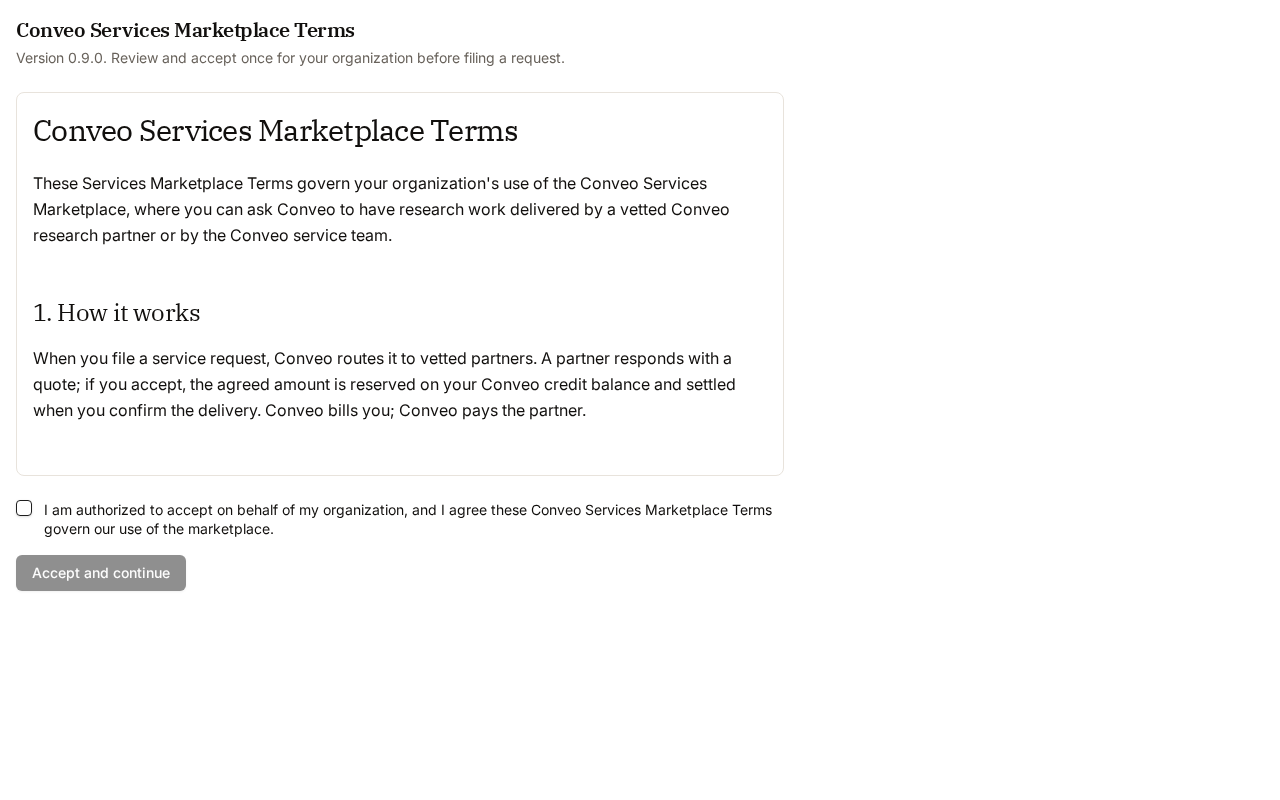
Fill in the request form
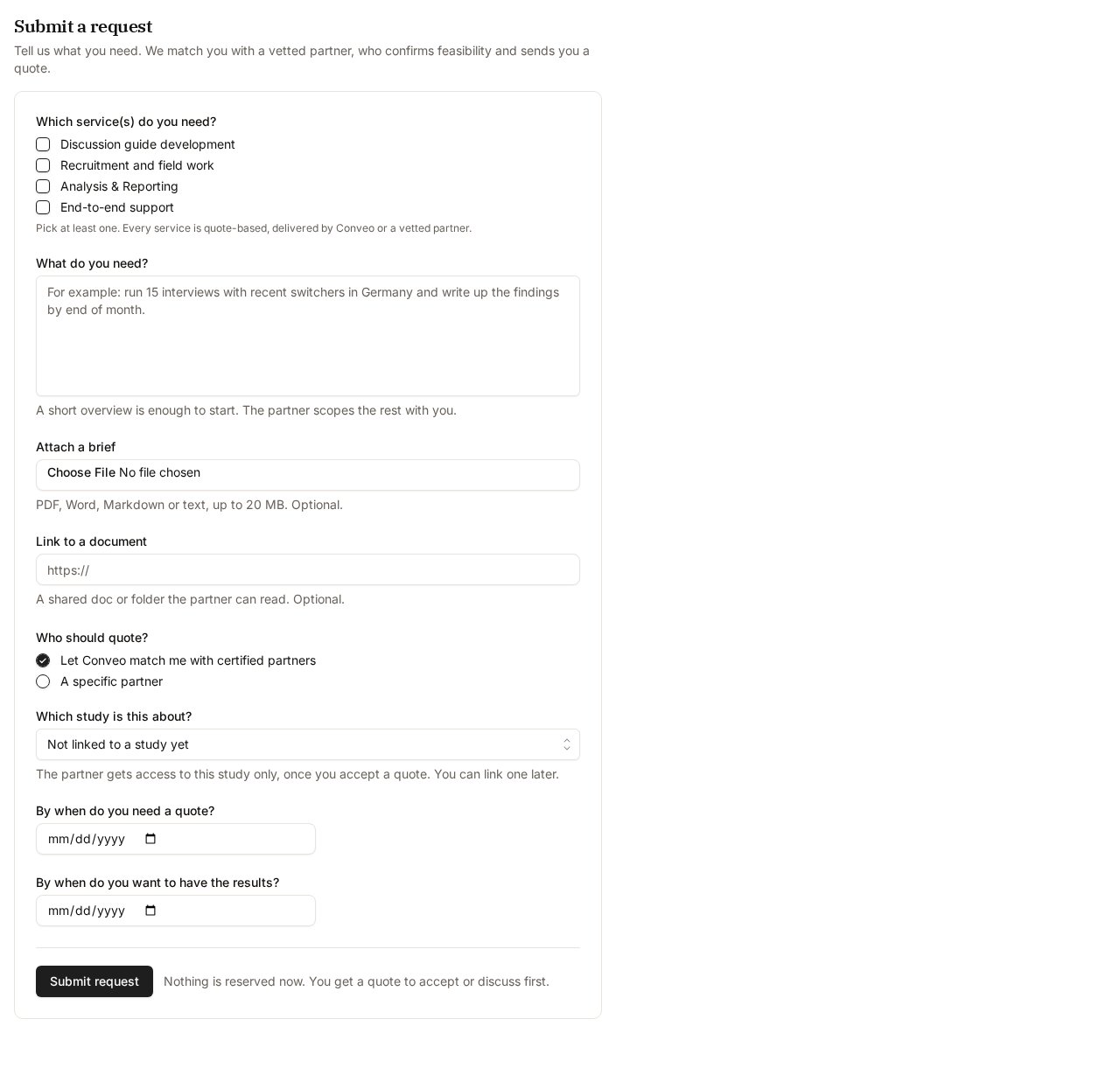
Choose Submit request. Nothing is reserved or charged at this point; you first receive a quote to accept or discuss.
Track your requests
The My requests tab lists every request from your organization, grouped into Outstanding, Ongoing, and Done, with its status, partner, total, needed-by date, and submission date.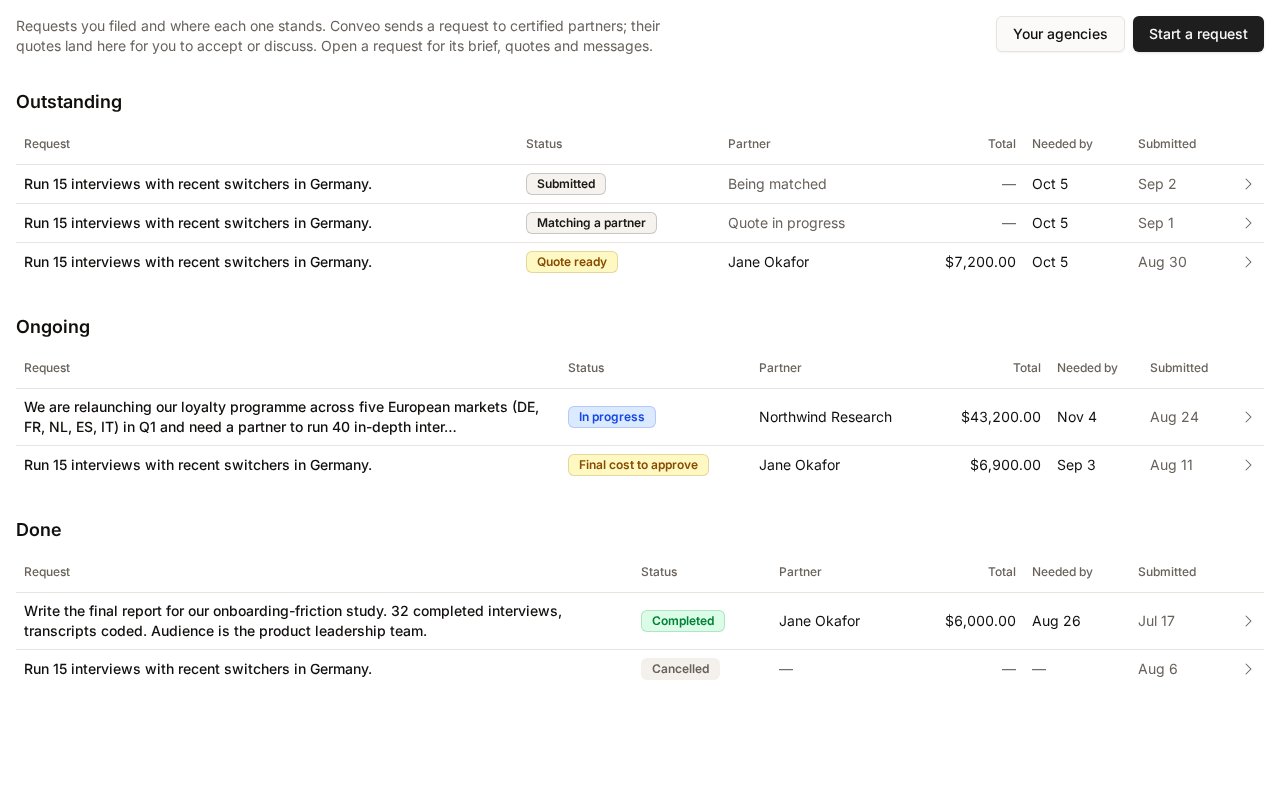
You can Cancel request at any time before a quote is accepted. Once a quote is accepted, cancellation goes through Conveo: contact services@conveo.ai.
Review and accept a quote
Open a request to see its details and quotes. Each quote shows the partner, their proposal note, an optional downloadable proposal, and the Partner fee. Until a quote arrives the request shows “No quote yet”; you receive an email when a quote is ready.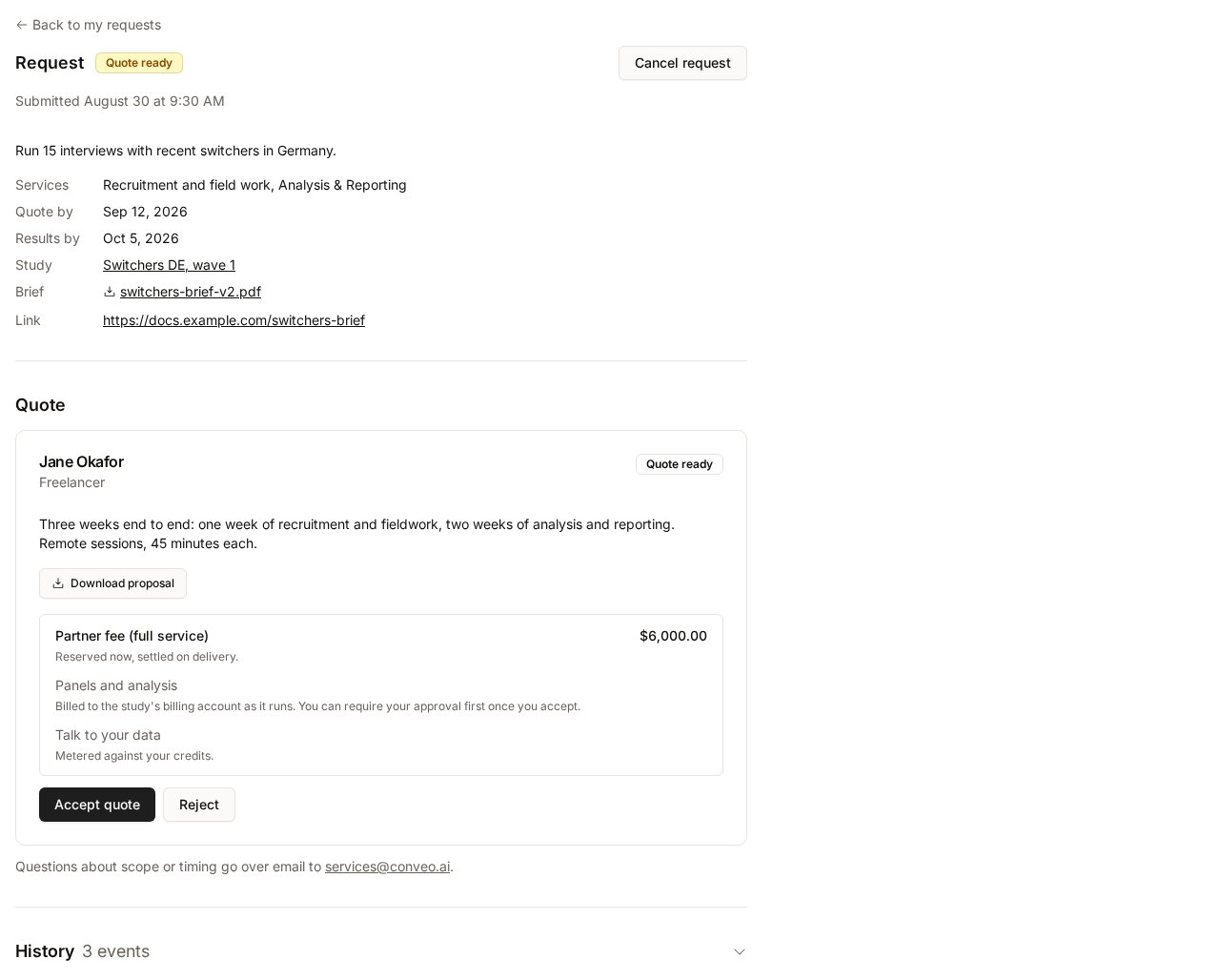
- Accept quote reserves the partner fee from your credit balance. The reservation is settled only when you approve the final cost after delivery. Accepting checks that your balance covers the fee and that your organization is current on the marketplace terms, and closes any competing quotes for the same request.
- Reject declines the quote with a reason. The partner is informed and nothing is charged. A rejected request can receive a new quote.
- Questions about scope or timing go over email to services@conveo.ai.
What you pay
- The partner fee is the quoted amount. It is reserved on acceptance and settled on final-cost approval.
- Panels and analysis the partner runs on the study are billed to the study’s billing account as the study runs, separately from the partner fee. See Partner spending below.
- Talk to your data usage by partner users is metered against your credits, subject to the limit you set.
- Studies billed under a contract record the partner fee as covered by the contract instead of deducting credits.
Partner access to your study
When you accept a quote for a request linked to a study, the partner organization is granted access to that study only. Partners work inside your Conveo account; interview data stays in your organization and partners are vetted and under NDA. Partners do not see your other studies. If the request is not linked to a study yet, the partner receives no study access at acceptance. The partner can create the study for the engagement inside your organization once the quote is accepted; it is then linked to the request and the partner gets access to that study only. Study access ends automatically when you approve the final cost and the engagement settles, or when the engagement is cancelled through Conveo.Control partner spending
After acceptance, a request linked to a study shows a Partner spending section.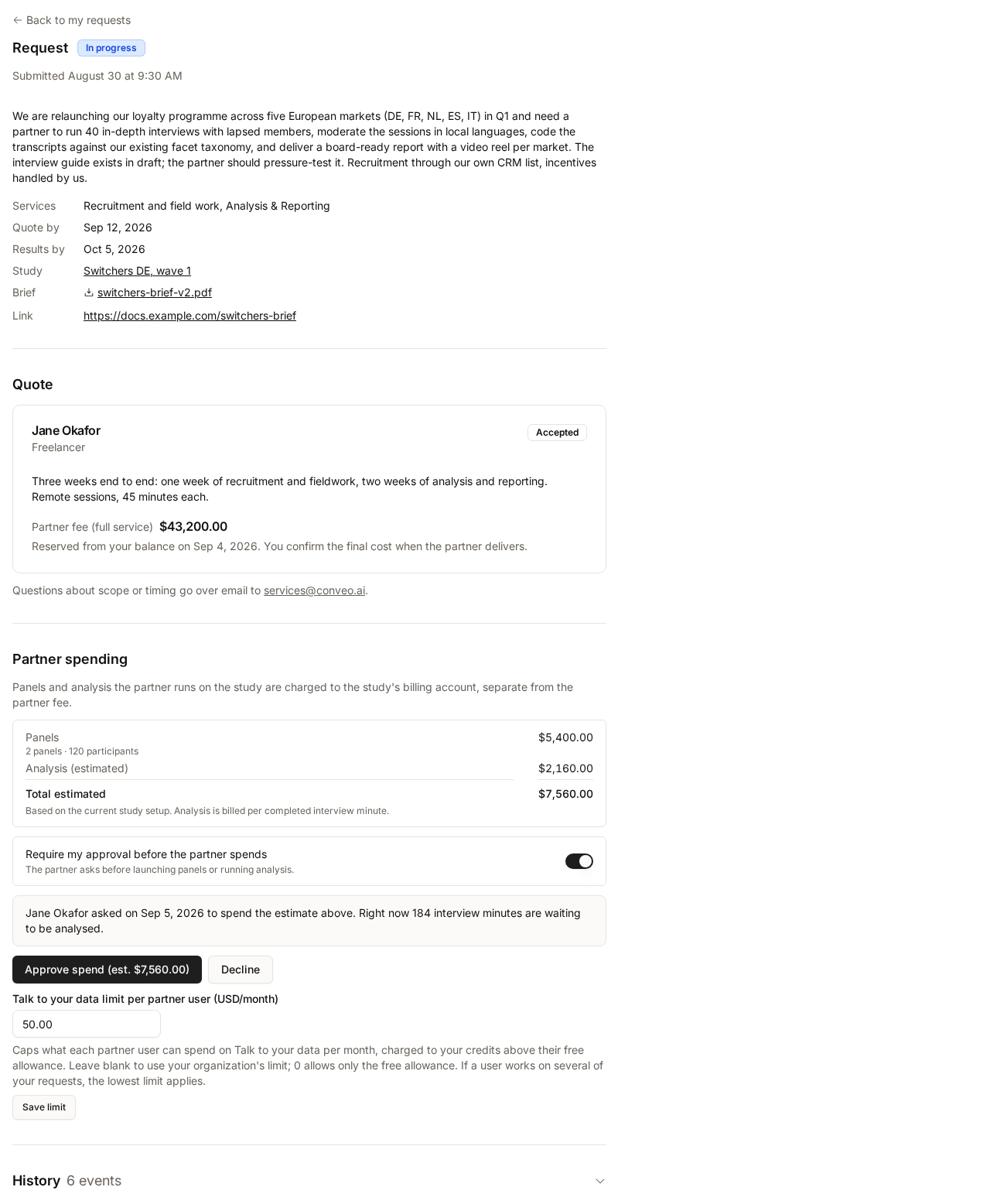
- Estimated costs list the panels and analysis set up on the study and a total estimate. Analysis is billed per completed interview minute.
- Require my approval before the partner spends — when on, the partner must ask before launching panels or running analysis. Each ask appears here with its estimate; choose Approve spend or Decline. If the study setup changes after you approved, that approval no longer applies and the partner has to ask again. When off, the partner can launch panels and run analysis as needed.
- Talk to your data limit per partner user (USD/month) caps what each partner user can spend on Talk to your data above their free allowance. Leave it blank to use your organization’s limit, or set
0to allow only the free allowance. If a partner user works on several of your requests, the lowest limit applies.
Approve the final cost
When the partner delivers, they submit a final price and a note. The request moves to Final cost to approve and the quote shows the Accepted total, the Final total, and the Difference. Every delivery waits for your approval, even when the final price equals the quote.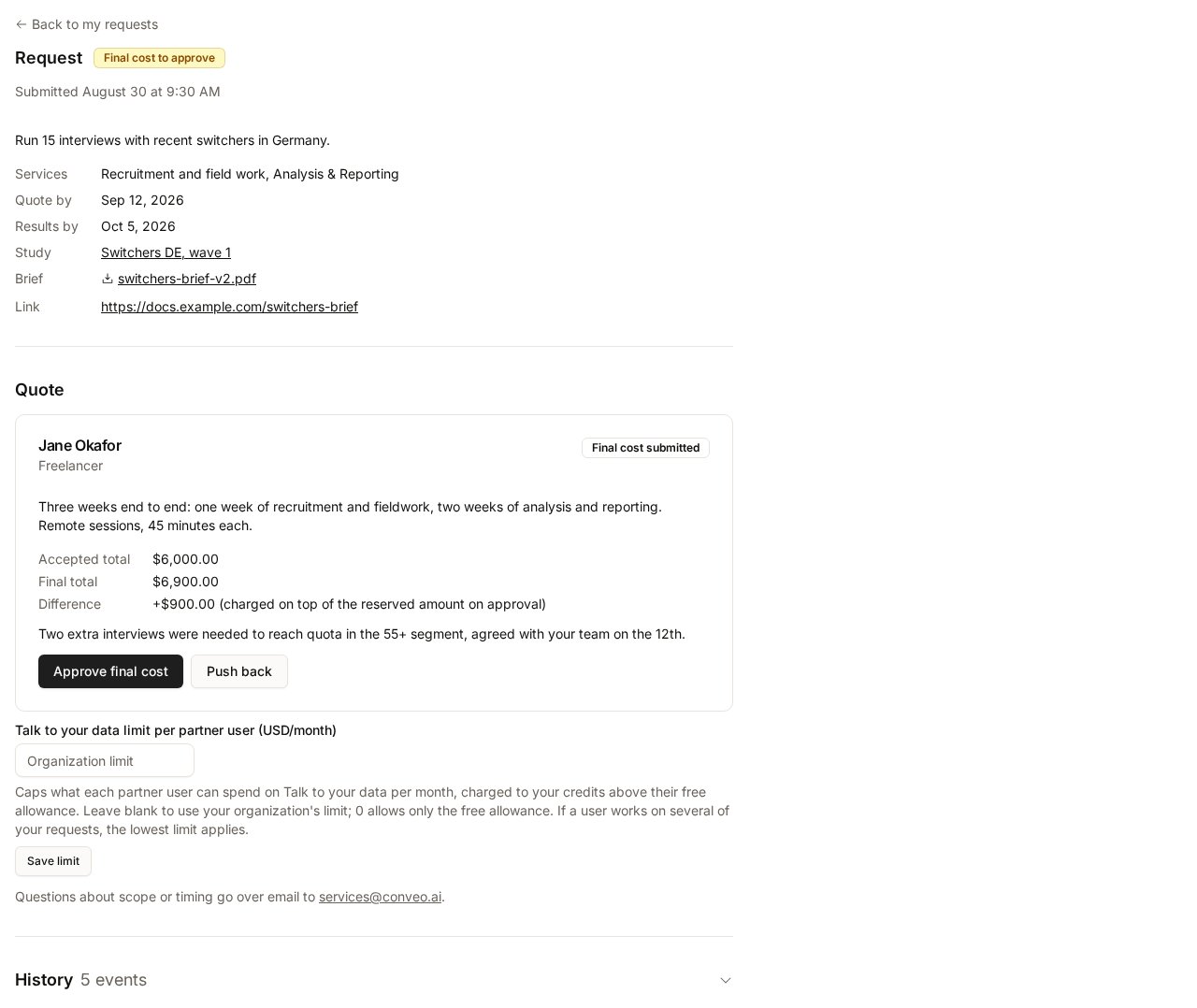
- Approve final cost settles the final total from your balance, releases the original reservation, and ends the partner’s access to the study. A final total above the quote is charged on top of the reserved amount and must be covered by your balance; a lower final total simply charges less. This cannot be undone.
- Push back returns the final cost to the partner with a reason so they can revise it.
Limitations
- The Service Marketplace is available only to organizations where Conveo has enabled it.
- Quotes and final costs are paid in credits from the billing account the request bills to; the partner fee cannot be paid by other means inside Conveo.
- Cancelling after a quote has been accepted, and any refund, is handled by Conveo rather than through the request page.
- Approving a final cost is irreversible.