

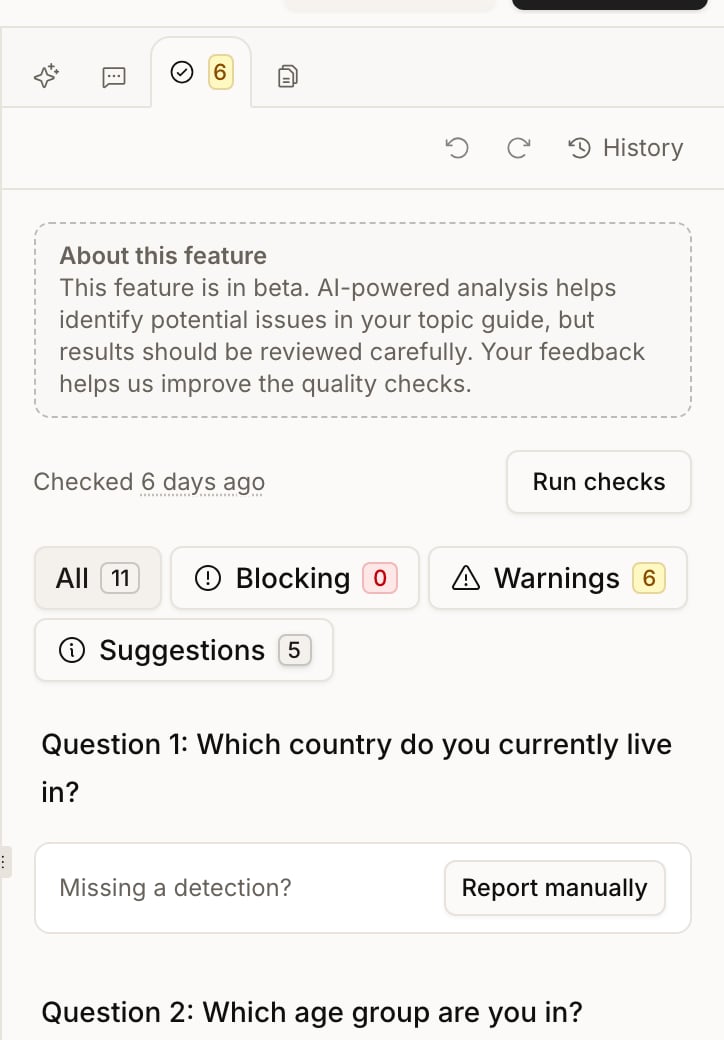
Run and read checks
- Open Design → Quality.
- Select Run checks and wait for processing to finish.
- Review the findings by study, section, research objective, or question as displayed.
- Use the severity filters to focus the list, starting with blocking issues.
Configuration checks cover requirements such as valid questions, routing, and feature settings. AI checks can identify wording or methodology concerns, such as leading, ambiguous, or overly complex questions. Read the explanation and the affected content before accepting a recommendation.
If Validation outdated appears, the guide has changed since the last review. Run checks again; the earlier results may no longer describe the current design. A failed or unfinished check is not a clean bill of health.
Correct a finding
Edit the affected content directly, or choose Fix with AI where offered. The AI action opens a conversation asking the design assistant to address the finding. Review the resulting pending changes before accepting them. An Addressed badge means the assistant was asked to fix the issue. It does not certify that the issue has been resolved; the next validation checks that. Some configuration issues do not offer an AI fix and require a manual correction.Dismiss a finding deliberately
Eligible non-blocking AI findings offer two dismissal choices:- Dismiss until …: hide the finding until the relevant content changes.
- Dismiss permanently: keep the finding dismissed across later checks, including content changes.